
Apply Crystal Prism to images and videos online
Shoot any photo or video through a piece of glass held right in front of the lens. Each facet bends its own copy of the picture, the edges split into rainbow fringes, and the glass melts everything soft. Free, in the browser.
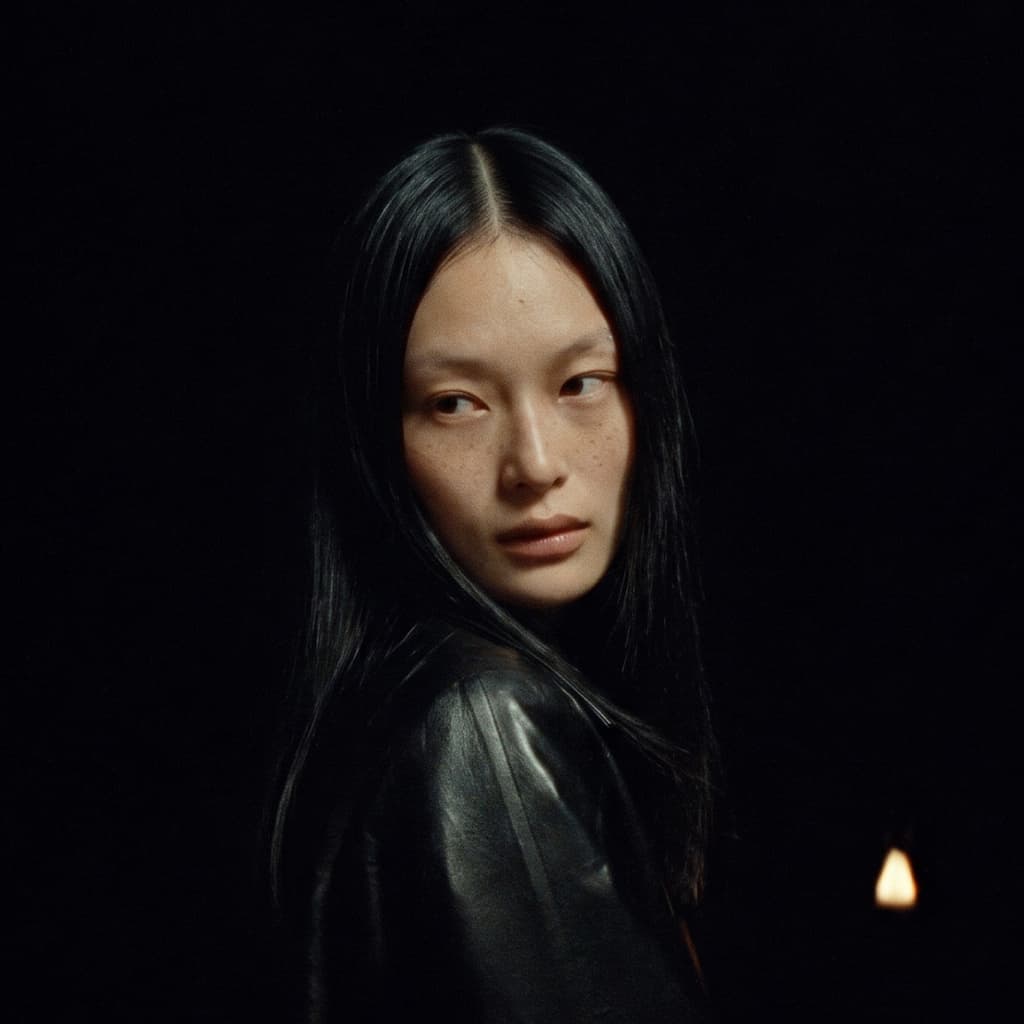 Before
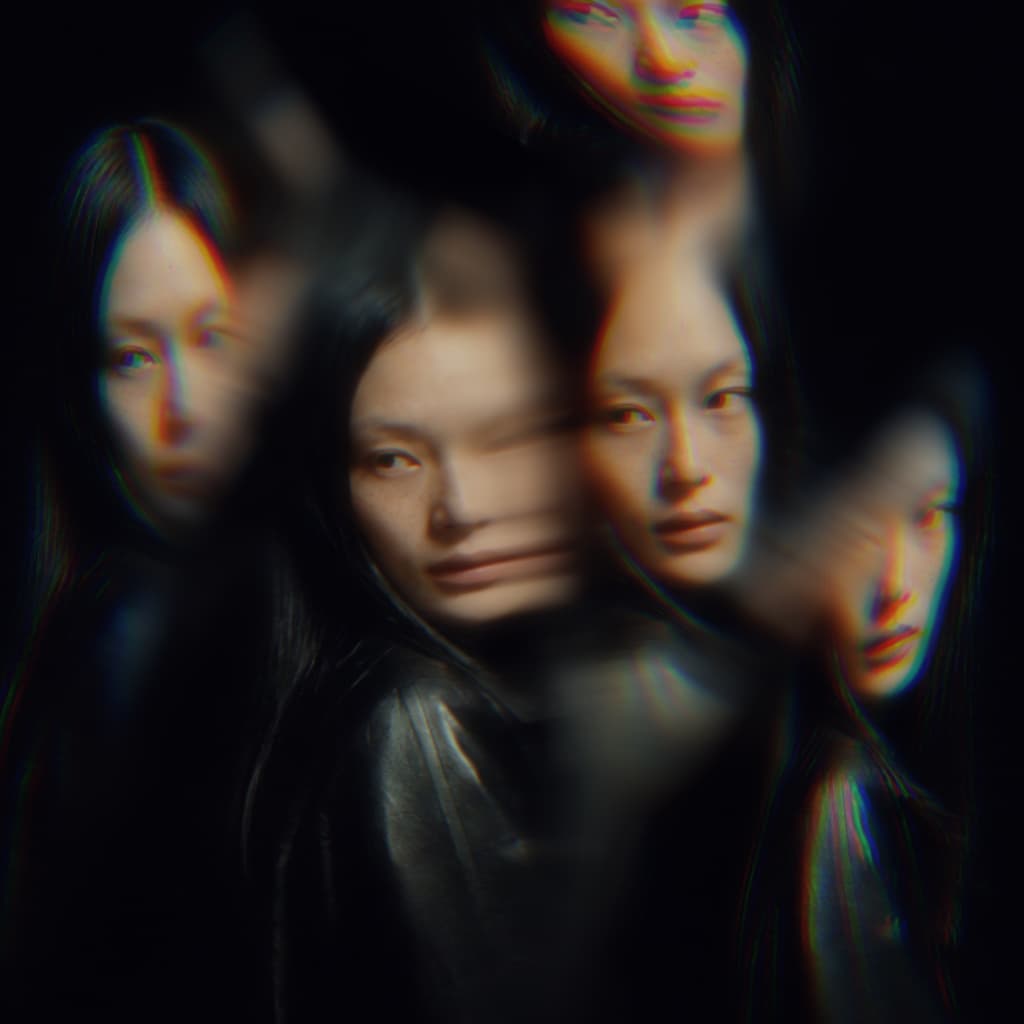 After
Ideas for using the effect
Dreamy portraits
Hold a crystal over one side of the face and let it repeat the eyes and lips in soft, shifted copies. A music-video and editorial look without carrying glass to the shoot.
Rainbow light leaks
Raise Chroma on a Prism or Wedge near the edge of the frame. Bright areas split into red, green, and blue fringes, the way sunlight does through a real prism.
Multi-image filters
Pick Kaleidoscope or Strips for the old screw-on trick filters: a ring of copies around a clear center, or a row of copies side by side.
Moving glass for video
Raise Spin speed and Shake and the stone drifts in front of the lens, so the reflections slide across the frame like a hand-held prism.
Made with this effect
More inspiration on Instagram @effect_app


Take Crystal Prism into the tools you already use
Stills, motion or design files: sign in once and your effects and presets come with you.
In Photoshop
Apply it to a layer in Photoshop 2022 and later, on macOS or Windows. The plugin renders on your own GPU and hands the result back as pixels on a new layer.
get the Photoshop plugin →In After Effects
Put it on footage and type in After Effects 2022 and later. Every setting keyframes on your timeline, and a look you saved in the browser applies there as it is.
get the After Effects plugin →In Figma
Run it on images and frames without leaving the canvas. The Figma plugin is this same editor, pointed at whatever you have selected.
get the Figma plugin →On desktop
Install the macOS or Windows app when you want a window of its own, with your account and your presets already there.
download the desktop app →Frequently Asked Questions
What is the Crystal Prism effect?
Crystal Prism puts a cut stone between the camera and your picture and traces the light through it in 3D. Every facet bends the view in its own direction, so you see several shifted copies of the image at once. The rest of the frame stays untouched.
Why is the image through the glass blurry?
Because the stone sits much closer to the lens than the subject, just like a real prism held against a camera. The picture is in focus, the glass is not, so its edges and everything seen through it come out soft. Proximity sets how far out of focus the stone is, and Clarity sets how sharp the image inside it stays.
Which stones can I use?
There are 12: Crystal, Prism, Diamond, Drop, Quartz, Kaleidoscope, Strips, Wedge, Ball, Rod, Lens, and Melted glass. Faceted stones give sharp, separate copies; Ball, Rod, Lens, and Melted glass bend the picture in smooth curves.
How do I make a new crystal?
Choose Crystal and change Facets, Irregularity, and Seed. Facets sets how many faces it has, Irregularity how uneven they are, and Seed cuts a different stone with the same settings. Roundness softens the edges between facets so the picture bends around them.
What do Refraction, Chroma, and Reflection do?
Refraction is how strongly the glass bends light: low values give subtle shifts, high values throw copies far across the frame. Chroma splits the light into rainbow fringes along the edges. Reflection adds faint ghost copies that bounce inside the glass.
How do I place and turn the stone?
Drag Position to move it and use Size to scale it. Tilt X, Tilt Y, and Spin turn it in 3D, which changes which faces point at the camera and where each copy lands.
Does Crystal Prism work on videos?
Yes. It runs in real time on images and video. Spin speed turns the stone over time and Shake adds a hand-held wobble, so the copies move across the frame through the clip.
What does Quality do?
It sets how many rays each pixel traces through the glass. Higher values make the out-of-focus blur smoother; lower values are faster on slower devices.
How is this different from RGB Shift or Reeded Glass?
RGB Shift offsets the color channels across the whole frame. Reeded Glass distorts the image through ribbed glass in parallel stripes. Crystal Prism is a single 3D stone in front of the lens, with its own facets, depth of field, and dispersion.
Can I combine Crystal Prism with other effects?
Yes. It pairs well with Halation or Bloom for glowing highlights, Film Grain for an analog finish, and Vignette to frame the glass.