Apply Grunge to images and videos online
Strip your images down to raw, gritty essentials. Tinted monochrome, aggressive grain texture, and posterized dithering create uncompromising underground visuals.
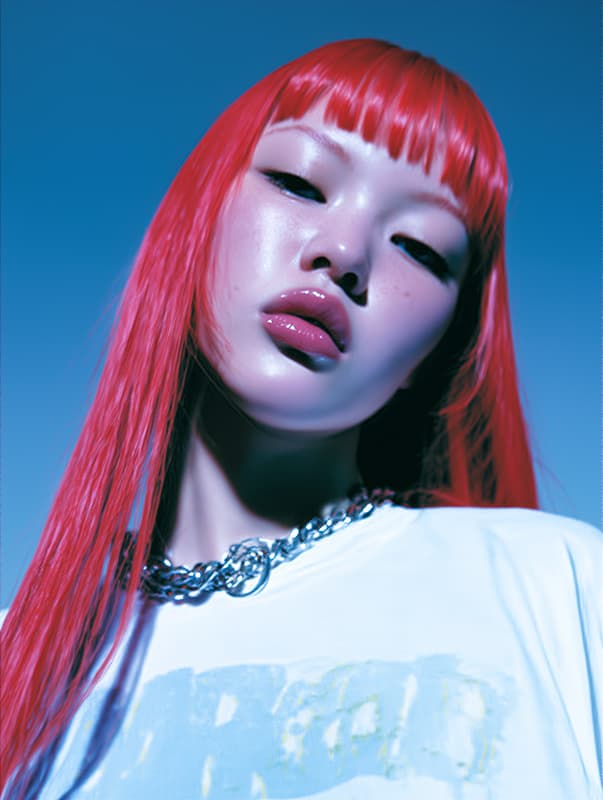 Before
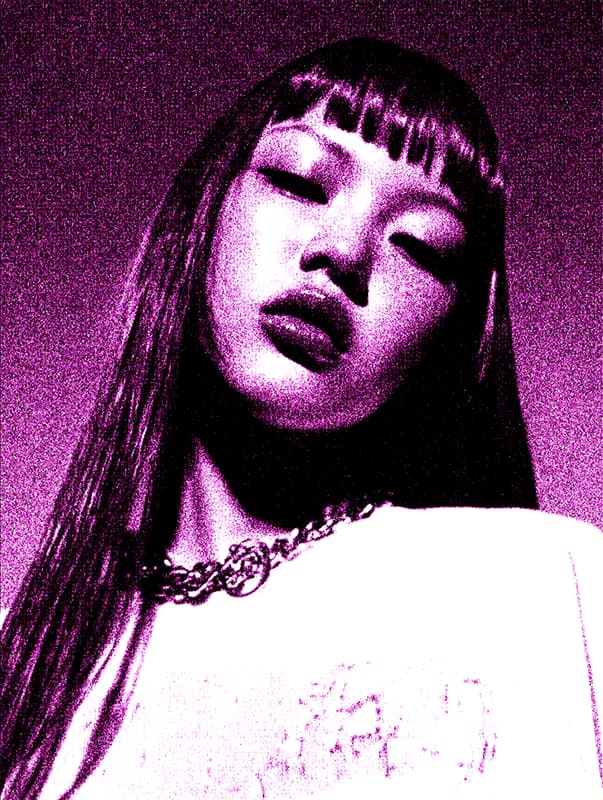 After
After
Ideas for using the effect
Punk & alternative graphics
Perfect for DIY flyers, underground show posters, album covers, and rebellious cultural design.
Textured backgrounds & overlays
Create distressed textures for graphic design, editorial layouts, and layered compositions.
Urban & street photography
Add raw grit to street scenes, architecture, portraits, and documentary imagery.
Experimental & art projects
Strip images to essential tones for artistic exploration, printmaking aesthetics, and avant-garde visuals.
Made with this effect
More inspiration on Instagram @effect_app


Use Grunge in Photoshop, Figma or on your desktop
One account, the same effect everywhere.
In Photoshop
Apply it to a layer in Photoshop 2022 and later, on macOS or Windows. The plugin renders on your own GPU and hands the result back as pixels on a new layer.
get the Photoshop plugin →In Figma
Run it on images and frames without leaving the canvas. The Figma plugin is this same editor, pointed at whatever you have selected.
get the Figma plugin →On desktop
Install the macOS or Windows app when you want a window of its own, with your account and your presets already there.
download the desktop app →Frequently Asked Questions
What does the Grunge preset do?
Why monochrome with tint?
The custom color mixing with slight pink tint creates a degraded, photocopied look while maintaining more character than pure black-and-white.
What does the noise add?
Heavy grain with controlled grain size simulates rough paper texture, analog film stock, and mechanical reproduction artifacts.
What is posterization doing?
Dithering reduces the image to just 2 color levels with gamma adjustment, creating stark tonal breaks and graphic contrast.
Can I control how harsh it looks?
Yes. Adjust noise strength for texture intensity, grain size for coarseness, and dither gamma for tonal distribution.
Does it work for video?
Yes. Grunge runs in real time on video with static grain pattern for consistent texture and authentic analog distressed motion.
Can I build a similar look with individual effects?
Yes — combine Noise Generator for texture, Dither for posterized tones, and Threshold for stark black-and-white contrast. The Grunge preset layers these together with tuned settings.
What images work best?
High-contrast subjects, portraits, urban scenes, typography, and graphic compositions work especially well for powerful grunge results.
Can I get a grunge effect in Photoshop?
Yes. The Photoshop plugin applies the Grunge preset to a layer in Photoshop 2024 and later — monochrome tint, heavy grain and posterized dithering in one pass instead of a stack of adjustment layers.