
Apply Elastic Grid to images and videos online
Warp images and videos using a tile-based elastic grid distortion. Create organic stretching and breathing motion while keeping the frame intact.
 Before
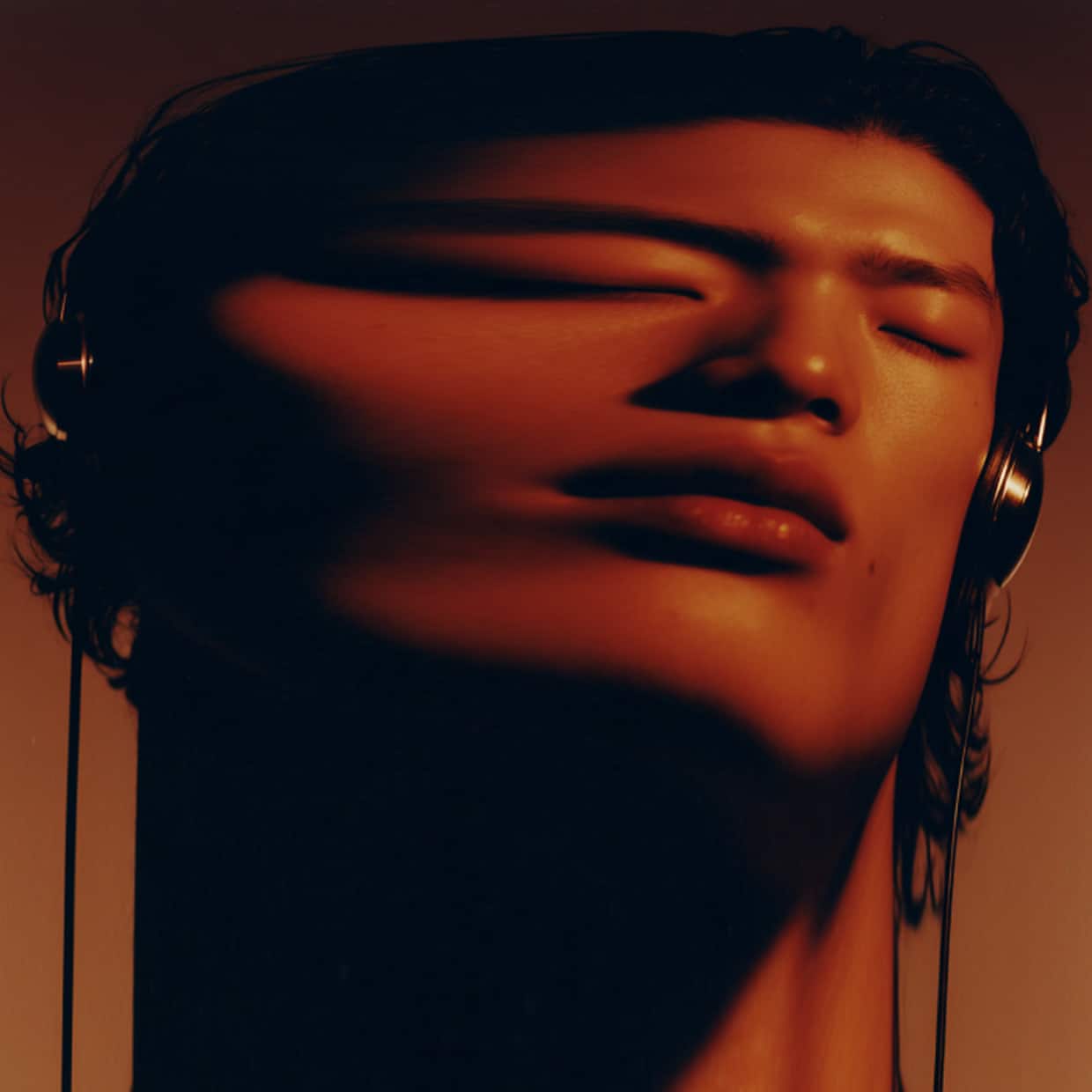 After
After
Ideas for using the effect
Organic motion and breathing effects
Create subtle, living motion that feels elastic and fluid rather than mechanical.
Controlled warp without cropping
Distort images while preserving the original canvas size and frame boundaries.
Abstract motion design
Use looping noise or control points to generate hypnotic, evolving distortions.
Experimental video effects
Add elastic deformation to footage for glitch, surreal, or generative visuals.
Made with this effect
More inspiration on Instagram @effect_app


Use Elastic Grid in Photoshop, Figma or on your desktop
One account, the same effect everywhere.
In Photoshop
Apply it to a layer in Photoshop 2022 and later, on macOS or Windows. The plugin renders on your own GPU and hands the result back as pixels on a new layer.
get the Photoshop plugin →In Figma
Run it on images and frames without leaving the canvas. The Figma plugin is this same editor, pointed at whatever you have selected.
get the Figma plugin →On desktop
Install the macOS or Windows app when you want a window of its own, with your account and your presets already there.
download the desktop app →Frequently Asked Questions
What is Elastic Grid?
Elastic Grid is a tile-based distortion effect that lets you push and pull parts of an image or video using an underlying grid.
How is it different from regular warp effects?
Unlike freeform warp or perspective tools, Elastic Grid keeps the canvas intact and avoids stretching or cropping the image edges.
Can I animate the distortion?
Yes. You can animate the grid using control points or looping noise to create smooth, organic motion.
Does it work on videos?
Yes. Elastic Grid works in real time on both images and videos.
Can I combine Elastic Grid with other effects?
Absolutely. It pairs well with glitch, blur, color effects, and noise for more complex visuals.
Can I warp on a grid in Photoshop?
Puppet Warp and Liquify are pin-and-brush work done by hand. Elastic Grid distorts by tiles with numbers you can repeat, and the Photoshop plugin applies it to a layer without cropping or resizing the document.