
Apply Circular Blur to images and videos online
Create a soft radial blur effect centered on your image or video. Ideal for focus-based looks or dreamlike transitions. Works directly in your browser.
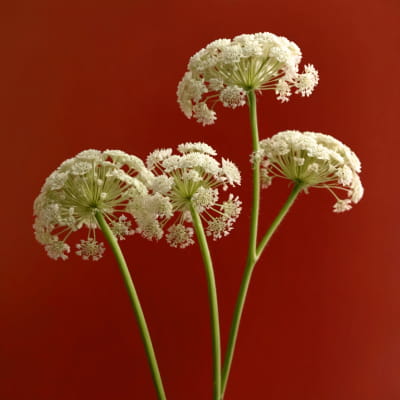 Before
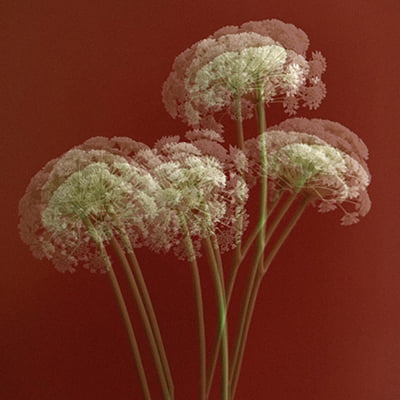 After
After
Ideas for using the effect
Portrait focus
Blur the background behind a portrait to make the face stand out.
Dreamy product shots
Create soft, dreamy product photos for social media or e-commerce.
Depth simulation
Simulate depth of field on images shot with a phone or kit lens.
Clean mockups
Hide messy edges in screenshots and UI mockups while keeping the center sharp.
Made with this effect
More inspiration on Instagram @effect_app


Use Circular Blur in Photoshop, Figma or on your desktop
One account, the same effect everywhere.
In Photoshop
Apply it to a layer in Photoshop 2022 and later, on macOS or Windows. The plugin renders on your own GPU and hands the result back as pixels on a new layer.
get the Photoshop plugin →In Figma
Run it on images and frames without leaving the canvas. The Figma plugin is this same editor, pointed at whatever you have selected.
get the Figma plugin →On desktop
Install the macOS or Windows app when you want a window of its own, with your account and your presets already there.
download the desktop app →Frequently Asked Questions
What is circular blur?
Circular blur creates a radial blur effect that radiates from a central point, making the center of your image sharp while progressively blurring the edges. It's perfect for creating focus effects similar to depth of field.
How do I control where the blur starts?
You can adjust the focus point by clicking on your image to set the center of the blur effect. The strength and radius controls let you fine-tune how quickly the blur spreads from the center.
Can I use circular blur on videos?
Yes. Circular blur works on both images and videos. You can apply the effect in real time and export videos in high quality.
What's the difference between circular blur and radial blur?
Circular blur creates a soft, gradual blur radiating outward while keeping the center sharp, similar to camera depth of field.
Radial blur creates motion-like streaks that simulate zoom or rotation.
Can I combine circular blur with other effects?
Absolutely. You can stack circular blur with color grading, vignette, film grain, and depth of field to achieve cinematic results.
Is there a circular blur filter for Photoshop?
Photoshop covers spin and zoom with Radial Blur, a dialog that renders without a preview. The Photoshop plugin applies Circular Blur to a layer in Photoshop 2024 and later, with the center, amount and falloff visible while you set them.