
Apply Thermal to images and videos online
Apply a thermal vision effect to images and videos. Reveal glowing heat signatures and create infrared, night-vision, or surveillance-style visuals instantly.
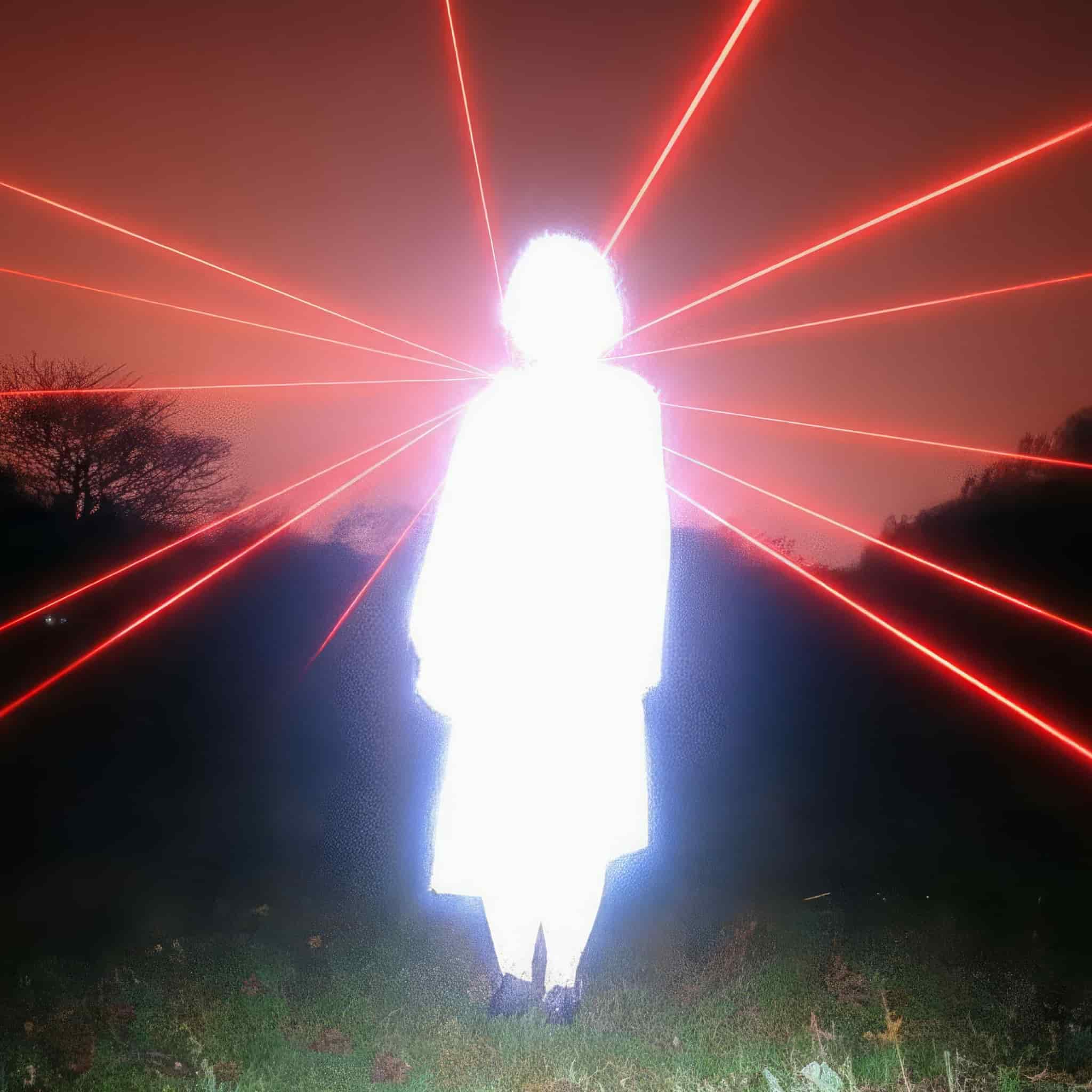 Before
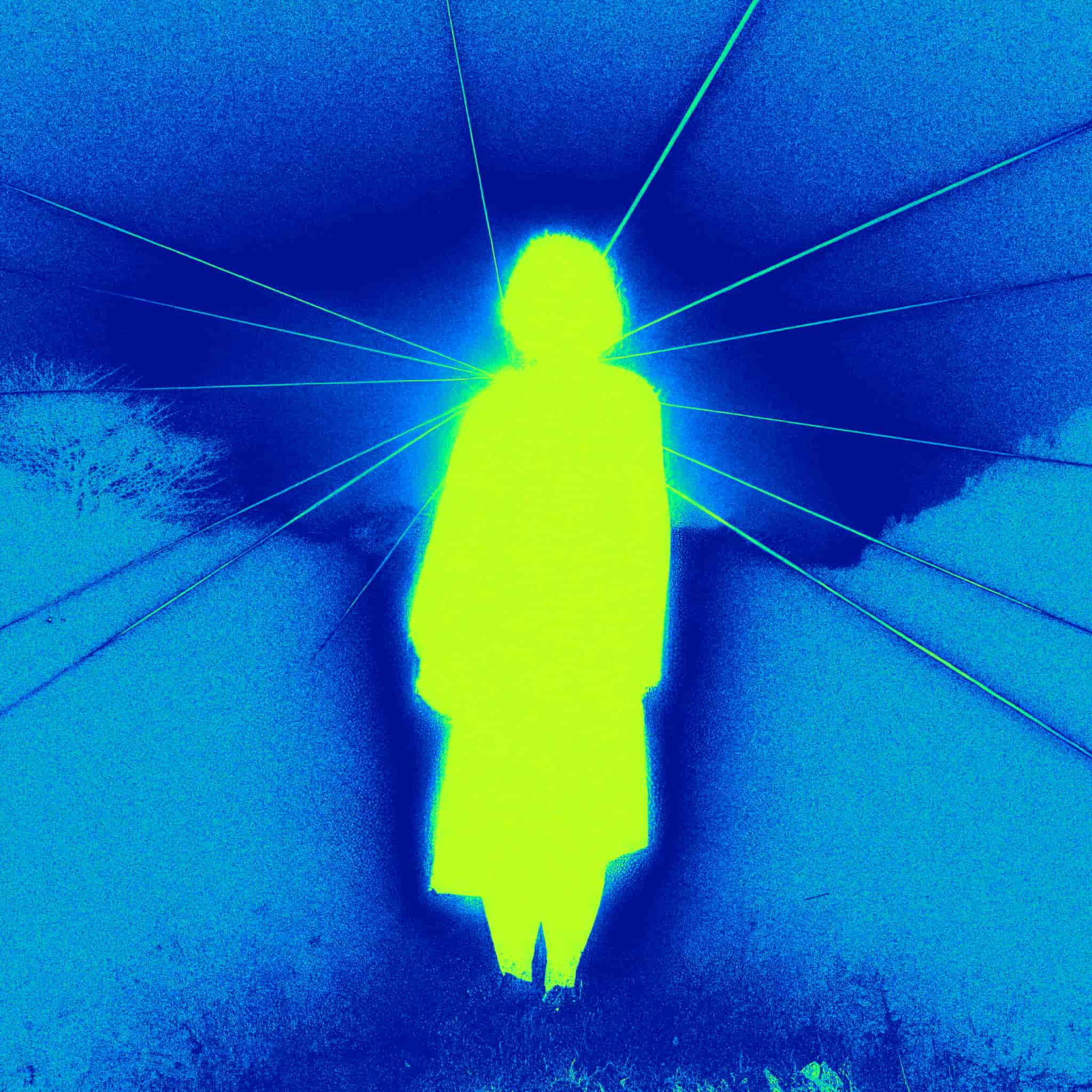 After
After
Ideas for using the effect
Sci-fi and futuristic visuals
Create heat-based imagery inspired by sci-fi films, games, and cyberpunk aesthetics.
Surveillance and security style
Simulate thermal cameras used in surveillance, drones, and night-vision systems.
Experimental color mapping
Transform brightness into striking thermal color palettes for abstract visuals.
Music videos and motion design
Add dynamic, high-contrast heat maps to video clips for bold visual impact.
Made with this effect
More inspiration on Instagram @effect_app


Use Thermal in Photoshop, Figma or on your desktop
One account, the same effect everywhere.
In Photoshop
Apply it to a layer in Photoshop 2022 and later, on macOS or Windows. The plugin renders on your own GPU and hands the result back as pixels on a new layer.
get the Photoshop plugin →In Figma
Run it on images and frames without leaving the canvas. The Figma plugin is this same editor, pointed at whatever you have selected.
get the Figma plugin →On desktop
Install the macOS or Windows app when you want a window of its own, with your account and your presets already there.
download the desktop app →Frequently Asked Questions
What is the thermal effect?
The thermal effect maps image brightness to heat-like color gradients, simulating infrared or thermal camera visuals.
Is this a real thermal camera simulation?
It’s a visual simulation inspired by thermal imaging, designed for creative and artistic use rather than scientific accuracy.
Does thermal work on videos?
Yes. You can apply the thermal effect to videos in real time and export high-quality results.
Can I control the colors and intensity?
Yes. Adjust the strength and mapping to create subtle heat tones or extreme, high-contrast thermal looks.
Can I combine thermal with other effects?
Absolutely. Thermal pairs well with noise, glitch, bloom, blur, and color effects for cinematic results.
Is there a thermal filter for Photoshop?
Yes. The Photoshop plugin applies the thermal palette to a layer in Photoshop 2024 and later. Rendering happens on your own GPU, so nothing you open leaves your machine.