Add motion to your effects
Keyframe any effect on a photo or video. Shape the motion with the curve you want, save it as a preset, and stack it with others.
Create stunning animations in 2 clicks
Click the animate button on any effect, drop a keyframe. Export up to 4K. No need for setup or complex software.
Animate any parameter
Animate one value or twenty at once. Layer moving grain over a shifting blur over a pulsing glow, and what looks like a complex motion piece comes together in a few keyframes.
Pick the right curve
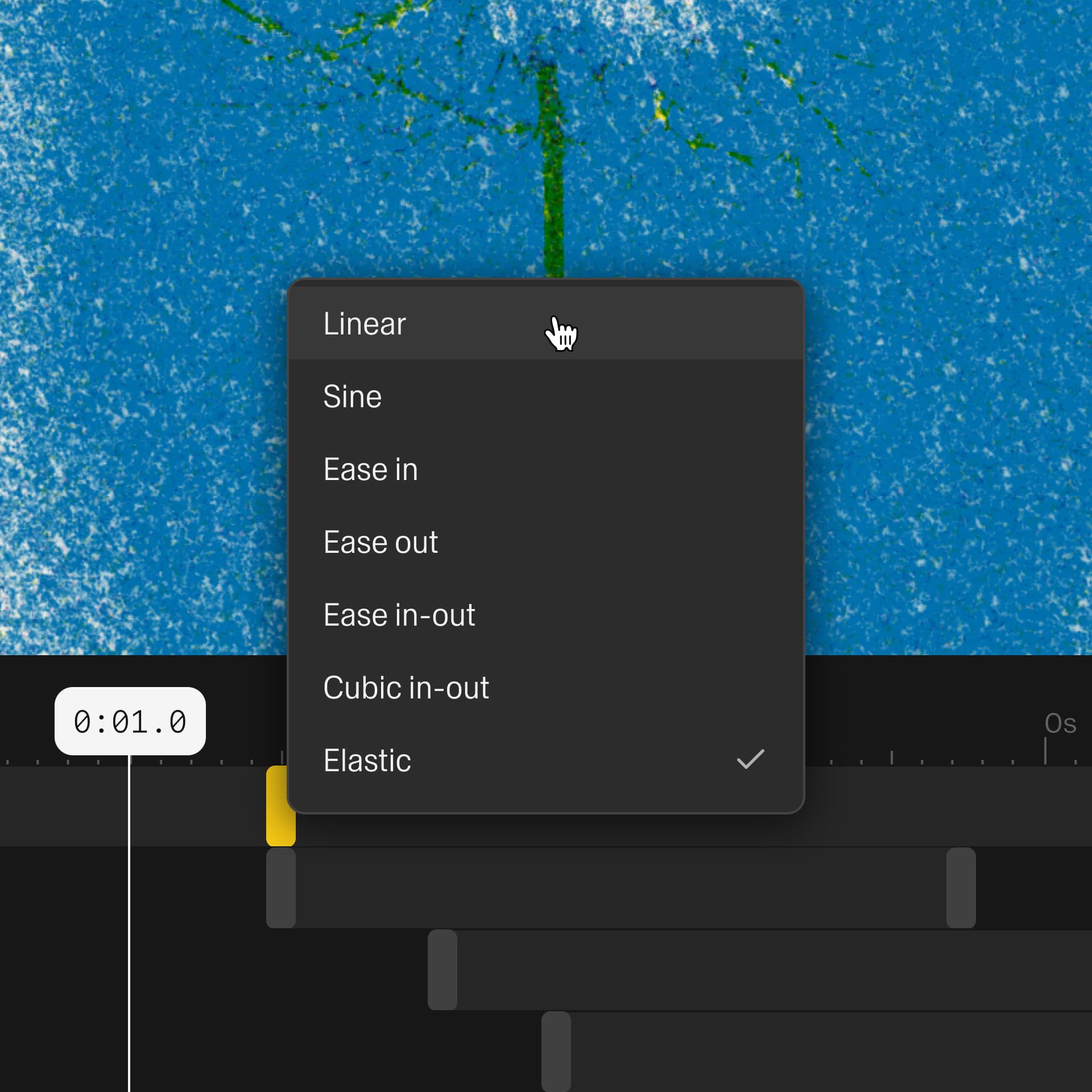
Right-click a keyframe to set how it moves: linear, sine, ease in-out, cubic, or elastic bounce. Tune the motion exactly how you want it.
Save and stack as presets
Save an animated look as a preset, then drop it on any image or video. Stack a few and the motions combine into something nobody else has.
explore presets →Export the motion
Save your animation as a real video file, crisp at up to 4K with no compression mush. Drop it straight into a reel, a story, or a client deliverable.
see export options →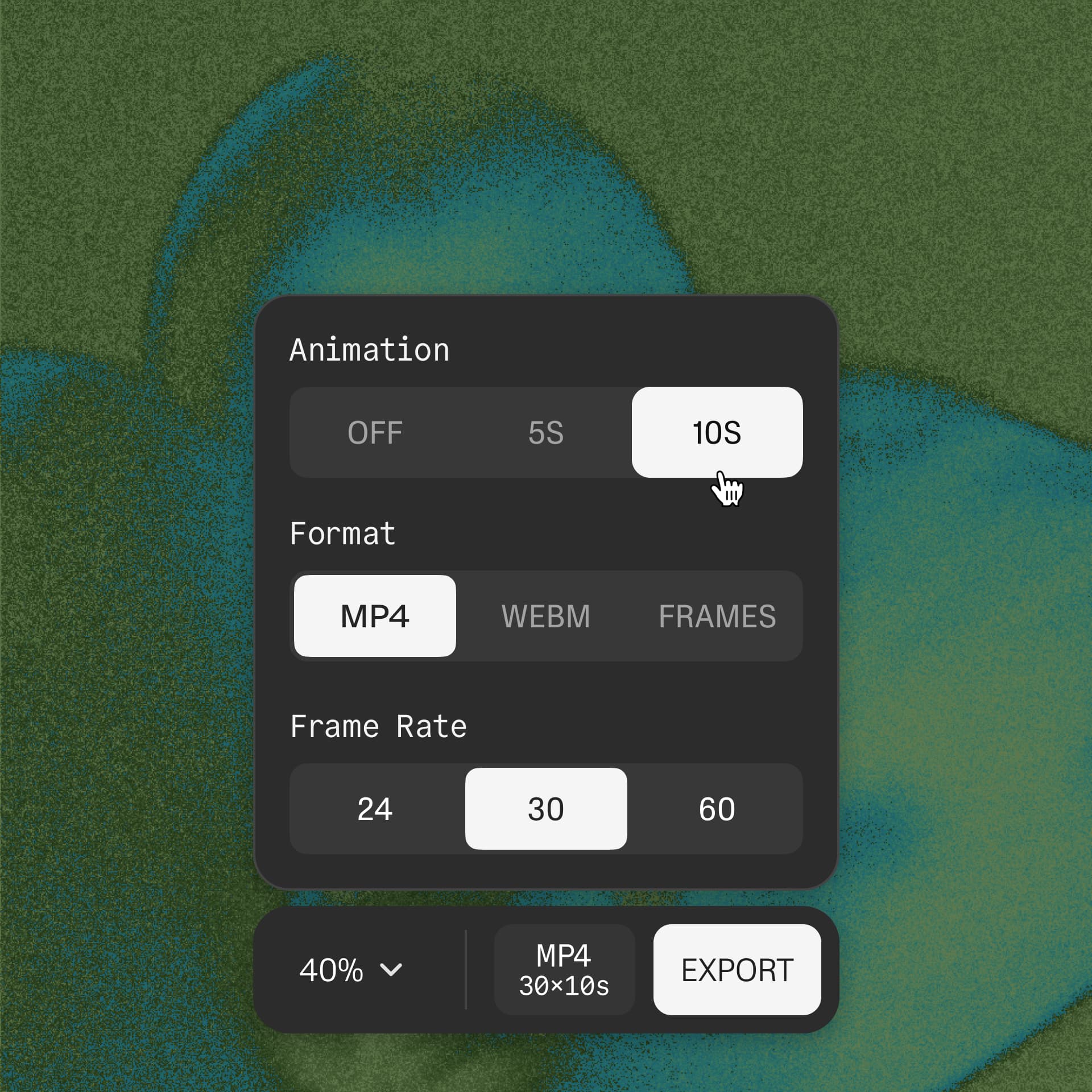
FAQ
How do I animate effects on a photo?
Add an effect, then click the animate button on any value you want to move. Drop a keyframe, slide along the timeline, drop another with a different value. The effect animates between them, turning a still photo into motion.
Can I animate effects on videos?
Yes. The same keyframe tools work on video. Animate an effect across an existing clip, or layer animated effects over footage the same way you would on a photo.
What parameters can I animate?
Any control on any effect. Strength, blur radius, grain amount, glitch intensity, color, angle, position. If it has a slider, you can keyframe it.
What interpolation curves are available?
Linear, sine, ease in-out, cubic, and elastic bounce. Right-click any keyframe to set its curve. The curve decides how the value moves between keys, which is what separates mechanical motion from motion that feels alive.
Can I save animated presets?
Yes. Save any animated look as a preset, then apply it to another image or video. Stack several animated presets to combine their motion into something new.
How long can my animation be?
Set the duration in one click and stretch the timeline as long as you need. Export length depends on your plan, with the free tier covering shorter clips and the paid tier unlocking longer exports.
What format does it export to?
MP4, WebM, or a PNG sequence, up to 4K. Exports are frame-accurate and keep audio, so the file is ready to post or hand off.
Do I need After Effects or other animation software?
No. It runs in the browser with nothing to install. There's no separate animation app and no timeline to learn first.