
Apply Polar to Rectangular to images and videos online
Unwrap circular images into flat rectangular space. Perfect for 360°-style projections, panoramas, and experimental visual transformations.
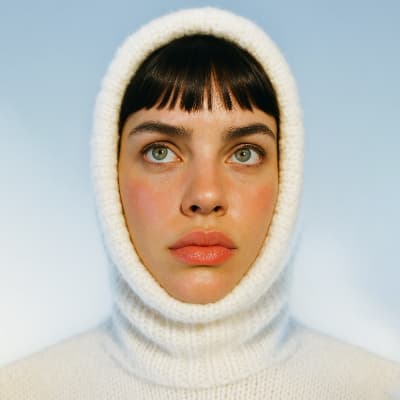 Before
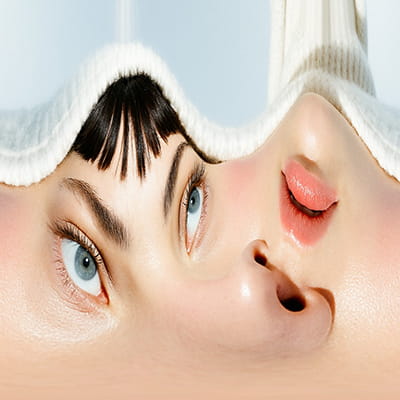 After
After
Ideas for using the effect
360° image unwrapping
Flatten circular or radial visuals into panoramic layouts.
Abstract distortions
Create stretched, surreal compositions from round shapes.
Motion design transitions
Turn circular motion into linear animations.
Data & generative art
Transform polar-coordinate visuals into readable grids.
Made with this effect
More inspiration on Instagram @effect_app


Use Polar to Rectangular in Photoshop, Figma or on your desktop
One account, the same effect everywhere.
In Photoshop
Apply it to a layer in Photoshop 2022 and later, on macOS or Windows. The plugin renders on your own GPU and hands the result back as pixels on a new layer.
get the Photoshop plugin →In Figma
Run it on images and frames without leaving the canvas. The Figma plugin is this same editor, pointed at whatever you have selected.
get the Figma plugin →On desktop
Install the macOS or Windows app when you want a window of its own, with your account and your presets already there.
download the desktop app →Frequently Asked Questions
What does Polar to Rectangular do?
It converts polar-coordinate visuals (circular layouts) into a flat rectangular representation.
When should I use this effect?
Use it when your image or video has radial structure and you want to “unwrap” it.
Is this used for 360° images?
Yes. It’s commonly used to flatten 360° or circular projections.
Does it work on videos?
Yes. The transformation runs in real time on videos.
Can I combine it with other effects?
Absolutely. Try combining it with color grading, noise, or blur for creative results.
Can I unwrap a polar image in Photoshop?
Photoshop's Polar Coordinates does the same flip in a preview-free dialog with nothing to adjust afterwards. The Photoshop plugin applies the unwrap to a layer in Photoshop 2024 and later, with the framing under control.