
Apply Duotone to images and videos online
Pick two colors. Let the light do the rest. Shadows take on one hue, highlights take on another — turning any photo or video into a striking two-tone graphic.
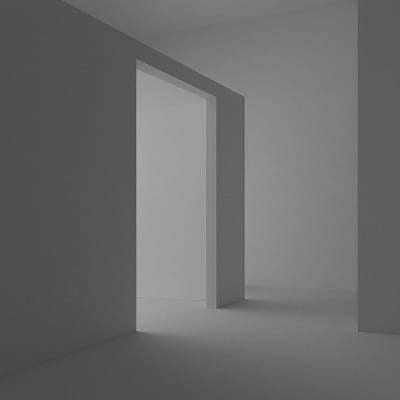 Before
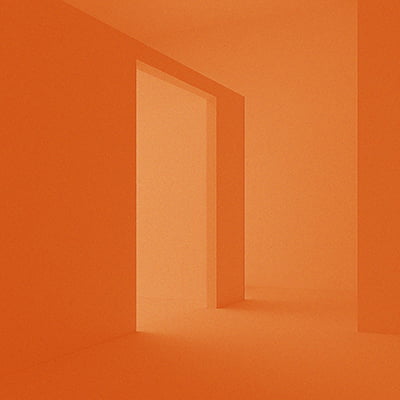 After
After
Ideas for using the effect
Brand color overlays
Apply your brand's two primary colors to photos for a consistent, on-brand visual style.
Retro & risograph prints
Recreate the look of classic two-color print techniques with bold, overlapping hues.
Moody portraits
Use deep shadows paired with a warm or cool highlight to give portraits a cinematic, editorial feel.
Stylized backgrounds
Turn plain textures or gradients into vivid two-tone backgrounds for graphics and presentations.
Made with this effect
More inspiration on Instagram @effect_app


Use Duotone in Photoshop, Figma or on your desktop
One account, the same effect everywhere.
In Photoshop
Apply it to a layer in Photoshop 2022 and later, on macOS or Windows. The plugin renders on your own GPU and hands the result back as pixels on a new layer.
get the Photoshop plugin →In Figma
Run it on images and frames without leaving the canvas. The Figma plugin is this same editor, pointed at whatever you have selected.
get the Figma plugin →On desktop
Install the macOS or Windows app when you want a window of its own, with your account and your presets already there.
download the desktop app →Frequently Asked Questions
What does Duotone do?
It maps the brightness of your image to two colors — dark areas take on the shadow color and bright areas take on the highlight color.
How is this different from a color tint?
A tint shifts all pixels toward one color. Duotone uses two separate colors for shadows and highlights, giving you much more control over the final look.
Does it preserve image detail?
Yes. All the structure and contrast of the original image remain — only the colors change.
Does this work on videos?
Yes. Duotone works in real time on both images and videos.
How does Duotone compare to Gradient Map?
Gradient Map supports unlimited color stops across the full tonal range. Duotone is simpler — two colors, faster setup, great for bold graphic looks.
Can I combine it with other effects?
Yes. Try layering it with film grain, Risograph, blur, or vignette for a more finished, polished result.
How do I make a duotone in Photoshop?
Photoshop's Duotone mode requires converting the document to Grayscale first, so the original color is gone before you pick your inks. The Photoshop plugin maps shadows and highlights to your two colors on an ordinary RGB layer, and you can change the colors and try again.