
Apply Stripe Scanlines to images and videos online
Apply bold stripe and scanline patterns to your images and videos. Create optical illusions, halftone shading, and abstract geometric distortion in real time.
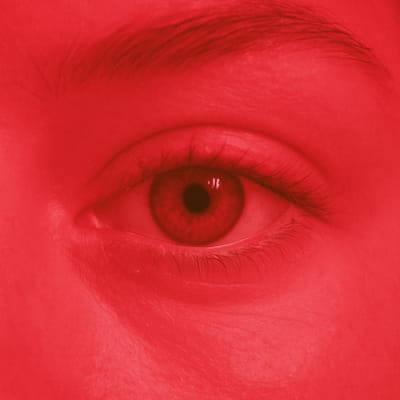 Before
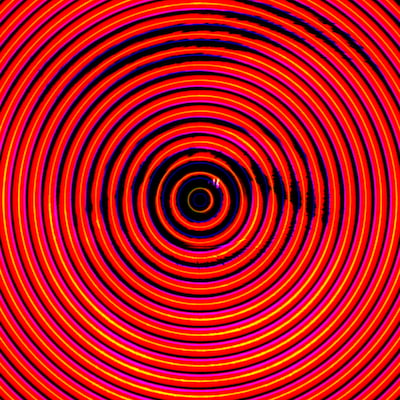 After
After
Ideas for using the effect
Retro scanlines
Recreate classic CRT-style scanlines with clean, graphic stripe patterns.
Optical illusions
Use circular or linear stripes to create depth, vibration, and visual tension.
Halftone shading
Replace smooth gradients with stripe-based shading inspired by print and poster art.
Abstract distortion
Push stripe density and rotation for bold experimental and generative visuals.
Made with this effect
More inspiration on Instagram @effect_app


Use Stripe Scanlines in Photoshop, Figma or on your desktop
One account, the same effect everywhere.
In Photoshop
Apply it to a layer in Photoshop 2022 and later, on macOS or Windows. The plugin renders on your own GPU and hands the result back as pixels on a new layer.
get the Photoshop plugin →In Figma
Run it on images and frames without leaving the canvas. The Figma plugin is this same editor, pointed at whatever you have selected.
get the Figma plugin →On desktop
Install the macOS or Windows app when you want a window of its own, with your account and your presets already there.
download the desktop app →Frequently Asked Questions
What is the Stripe Scanlines effect?
Stripe Scanlines overlays repeating stripe patterns over your image or video, creating scanline, halftone, or abstract distortion effects.
Are stripes static or dynamic?
Stripes can be static or animated, making them suitable for both still images and video motion effects.
Can I use circular stripes?
Yes. Stripe Scanlines supports linear and circular stripe patterns for different visual styles.
Is this similar to CRT scanlines?
Partially. While inspired by CRT scanlines, Stripe Scanlines is more graphic and abstract, closer to halftone and optical art.
Can I combine Stripe Scanlines with other effects?
Absolutely. Stripe works especially well with glitch, noise, color grading, bloom, and distortion effects.
Can I add scanlines in Photoshop?
The common route is hand-building a stripe pattern and tiling it on a Multiply layer. The Photoshop plugin applies Stripe Scanlines to a layer in Photoshop 2024 and later, straight or circular, with width and angle adjustable.