
Apply Dither to images and videos online
Reduce color depth and apply dithering to create a retro, pixel-art, or printed look. Perfect for old-school aesthetics, digital noise, and stylized visuals.
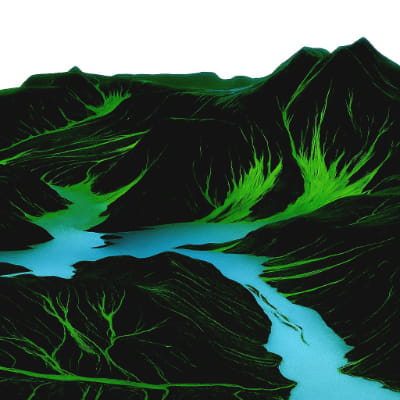 Before
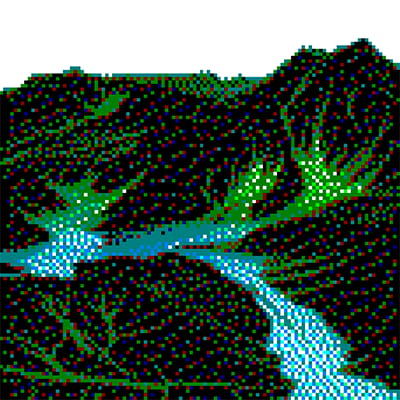 After
After
Ideas for using the effect
Retro & pixel art
Recreate classic 8-bit and 16-bit visuals by limiting colors and adding dithering patterns.
Vintage print look
Simulate old magazine, newspaper, or risograph-style prints.
Digital noise texture
Add structured noise that feels intentional, not random — great for motion graphics.
Stylized color reduction
Simplify complex images while preserving contrast and visual structure.
Made with this effect
More inspiration on Instagram @effect_app


Use Dither in Photoshop, Figma or on your desktop
One account, the same effect everywhere.
In Photoshop
Apply it to a layer in Photoshop 2022 and later, on macOS or Windows. The plugin renders on your own GPU and hands the result back as pixels on a new layer.
get the Photoshop plugin →In Figma
Run it on images and frames without leaving the canvas. The Figma plugin is this same editor, pointed at whatever you have selected.
get the Figma plugin →On desktop
Install the macOS or Windows app when you want a window of its own, with your account and your presets already there.
download the desktop app →Frequently Asked Questions
What is dithering?
Dithering simulates missing colors by mixing pixels in patterns, creating the illusion of more detail with fewer colors.
Why use dithering instead of blur or noise?
Dithering creates structured, intentional texture — perfect for retro or print-like aesthetics.
Can I control the color depth?
Yes. You can adjust how many colors remain and how aggressively dithering is applied.
Does Dither work on videos?
Yes. The effect works in real time on both images and videos.
Can I combine Dither with other effects?
Absolutely. Combine it with Halftone, Threshold, film grain, or color effects for richer retro results.
Can I dither an image in Photoshop?
Photoshop dithers only when you convert to Indexed Color or Bitmap mode, which costs you the rest of your color. The Photoshop plugin applies Dither to an ordinary RGB layer and leaves the pattern, color depth and palette adjustable.