
Apply Halftone Screen to images and videos online
Transform photos and videos into bold pop art and comic-book visuals using classic halftone dot patterns. Create Andy Warhol-style graphics and retro print effects instantly in your browser. Also known as: comic dot effect, screen print effect, Ben-Day dots
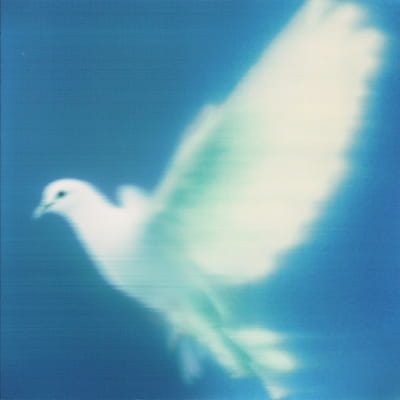 Before
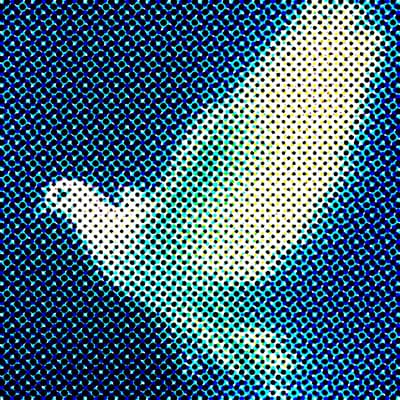 After
After
Ideas for using the effect
Pop art & Warhol style
Recreate iconic Andy Warhol-style portraits with bold halftone dots and high-contrast colors — perfect for retro posters and album covers.
Comic-style visuals
Turn photos and videos into comic-book illustrations with bold dot patterns and high contrast — Roy Lichtenstein-inspired graphics.
Print & poster design
Simulate traditional print halftone textures for posters, covers, and editorial layouts — vintage newspaper and magazine aesthetics.
Screen printing effect
Simulate silk-screen and Risograph printing with adjustable halftone density and color separation — authentic DIY print look.
Made with this effect
More inspiration on Instagram @effect_app


Use Halftone Screen in Photoshop, Figma or on your desktop
One account, the same effect everywhere.
In Photoshop
Apply it to a layer in Photoshop 2022 and later, on macOS or Windows. The plugin renders on your own GPU and hands the result back as pixels on a new layer.
get the Photoshop plugin →In Figma
Run it on images and frames without leaving the canvas. The Figma plugin is this same editor, pointed at whatever you have selected.
get the Figma plugin →On desktop
Install the macOS or Windows app when you want a window of its own, with your account and your presets already there.
download the desktop app →Frequently Asked Questions
What is a halftone effect?
Halftone is a printing technique that represents images using dots of varying size or spacing. It creates the illusion of gradients and shading using simple geometric patterns — the same technique used in vintage comics and screen prints.
Can I create Andy Warhol-style pop art?
Yes. Halftone is perfect for creating Warhol-inspired pop art — combine it with color grading for authentic 1960s retro graphics and silk-screen aesthetics.
Is this the same as comic book dots?
Yes. Halftone uses the same dot patterns (Ben-Day dots) found in vintage comics, Roy Lichtenstein paintings, and classic newspapers.
Can I use halftone on videos?
Yes. The halftone effect works on both images and videos, allowing you to export animated halftone visuals in MP4 format. Animate the Seed to give every frame a freshly printed sheet, with new ragged edges and paper texture, for a stop-motion print look.
Can I control the dot size and pattern?
Yes. Pick from round, Euclidean, elliptical, square, diamond, line and cross-hatch dots, set the screen frequency, and angle each ink on its own. As on a real press, detail smaller than a dot only changes the dot sizes, so low frequencies give bold pop-art dots and high frequencies read like a magazine photo.
Can I change the ink colors?
Yes. Each of the four inks has an on/off switch and a color picked from the official Riso ink colors, the same set the Risograph effect uses. Inks 1 to 4 print the cyan, magenta, yellow and black separations, and default to the usual Riso stand-ins for CMYK: Blue, Fluorescent Pink, Yellow and Black. Pick a different color for an ink and the image keeps its separation while the palette changes, just as it would on a press.
What makes it look like a real print?
The effect separates the image the way prepress does, with adjustable black generation and a total ink limit, then prints it with real ink colors on a paper tone you choose, with a light paper fibre texture. Dot gain and ragged dot edges are adjustable, and each ink can drift out of register. For the soft look of ink spreading into uncoated paper, add a blur on top.
Is this similar to Photoshop halftone?
Yes, though Photoshop's own Color Halftone gives you little beyond dot size and screen angles. This one runs in real time in the browser, and the Photoshop plugin brings the full set of controls to a layer in Photoshop 2024 and later.