
Apply CRT Screen to images and videos online
Simulate classic CRT screen visuals with scanlines and glow. Create authentic retro TV and monitor effects on images and videos online.
 Before
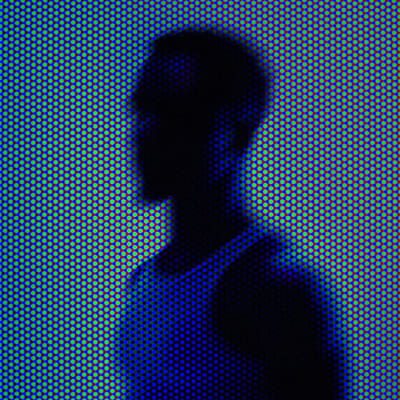 After
After
Ideas for using the effect
Retro video aesthetics
Recreate the look of old televisions, arcade screens, and VHS playback.
Game visuals
Apply CRT scanlines and glow to pixel art, gameplay captures, or retro UI designs.
Nostalgic edits
Add warmth, bloom, and screen imperfections for a true analog feel.
Motion graphics
Use CRT distortion and flicker to enhance title screens and transitions.
Made with this effect
More inspiration on Instagram @effect_app


Use CRT Screen in Photoshop, Figma or on your desktop
One account, the same effect everywhere.
In Photoshop
Apply it to a layer in Photoshop 2022 and later, on macOS or Windows. The plugin renders on your own GPU and hands the result back as pixels on a new layer.
get the Photoshop plugin →In Figma
Run it on images and frames without leaving the canvas. The Figma plugin is this same editor, pointed at whatever you have selected.
get the Figma plugin →On desktop
Install the macOS or Windows app when you want a window of its own, with your account and your presets already there.
download the desktop app →Frequently Asked Questions
What is the CRT Screen effect?
CRT Screen simulates the appearance of cathode-ray tube displays, including scanlines, bloom, glow, and subtle distortion.
Does it include scanlines?
Yes. The effect adds horizontal scanlines typical of classic CRT monitors and TVs.
Can I use CRT Screen on videos?
Yes. CRT Screen works in real time on both images and videos.
Is this similar to a VHS effect?
Can I combine CRT Screen with other effects?
Is there a CRT effect for Photoshop?
Yes. The Photoshop plugin brings CRT Screen to Photoshop 2024 and later on macOS and Windows, with the same scanline, curvature and phosphor controls you get here.