
Apply Risograph to images and videos online
Apply a realistic Risograph effect with color-separated inks, scanned grain, paper tone, and subtle registration drift. Recreate the look of handmade riso prints, zines, posters, and screen-printed artwork directly in your browser. Also known as: riso filter, screen print effect, color separation effect
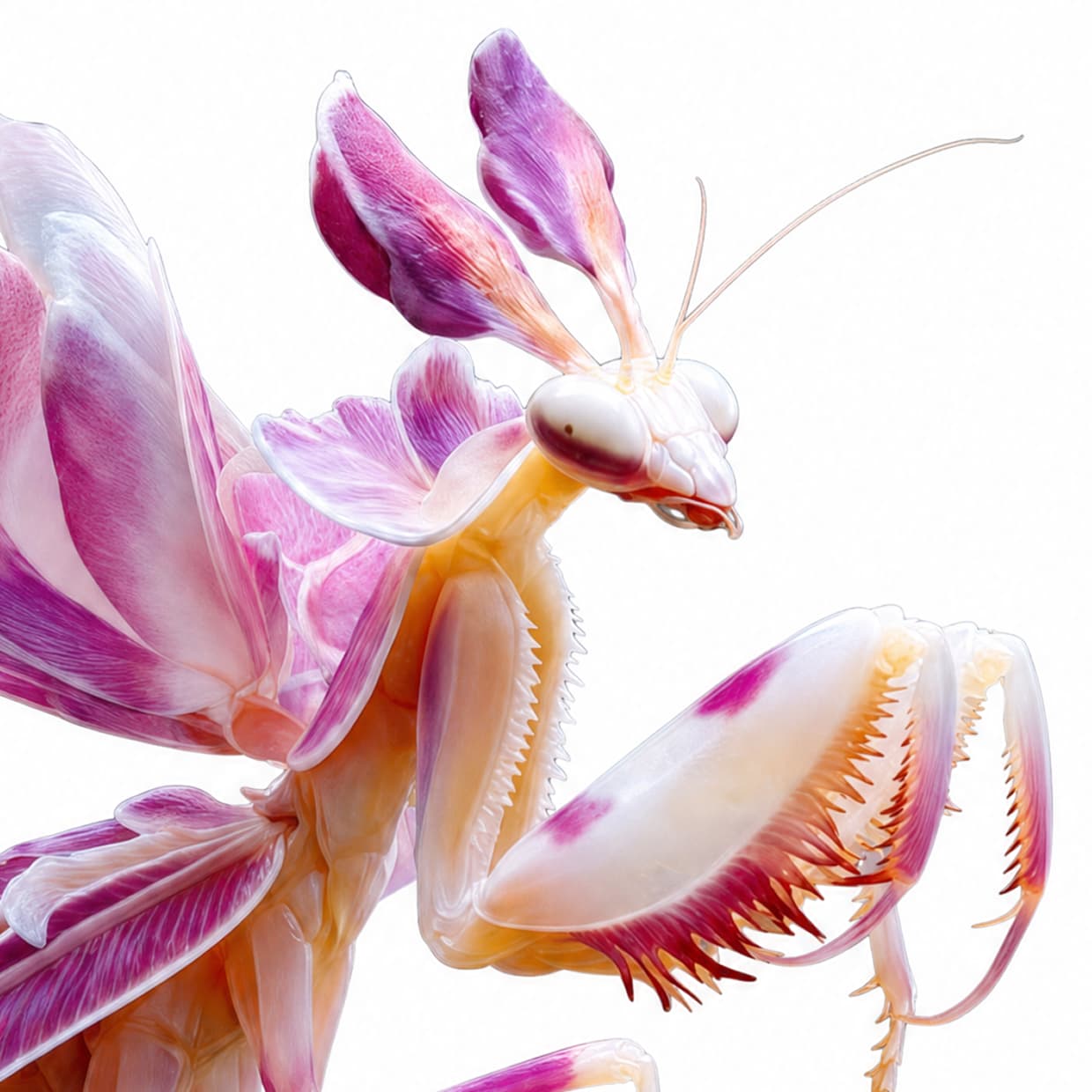 Before
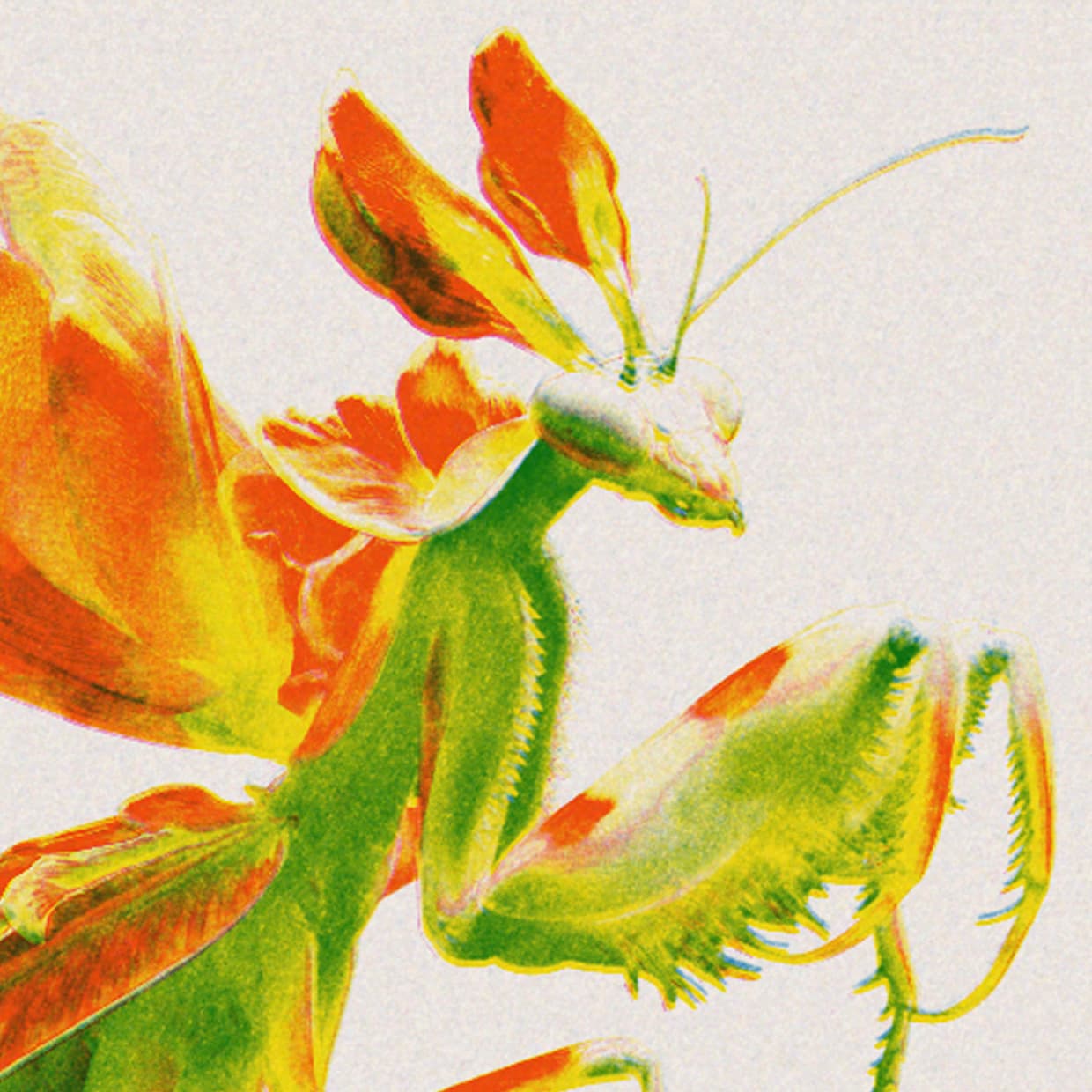 After
After
Ideas for using the effect
Zines and art prints
Create bold riso-style layouts for zines, posters, editorial artwork, and independent print projects.
Duotone and tritone portraits
Turn portraits into layered spot-color prints with fluorescent reds, blues, yellows, pinks, and greens.
Handmade poster texture
Add imperfect ink coverage, paper warmth, and visible print grain to digital posters and illustrations.
Experimental color separation
Use per-channel black and white mixers to decide which parts of the image print in each ink.
Made with this effect
More inspiration on Instagram @effect_app


Use Risograph in Photoshop, Figma or on your desktop
One account, the same effect everywhere.
In Photoshop
Apply it to a layer in Photoshop 2022 and later, on macOS or Windows. The plugin renders on your own GPU and hands the result back as pixels on a new layer.
get the Photoshop plugin →In Figma
Run it on images and frames without leaving the canvas. The Figma plugin is this same editor, pointed at whatever you have selected.
get the Figma plugin →On desktop
Install the macOS or Windows app when you want a window of its own, with your account and your presets already there.
download the desktop app →Frequently Asked Questions
What is the Risograph effect?
Risograph effect simulates riso printing by separating the image into multiple ink channels, tinting each channel with a spot ink, adding scanned grain, shifting registration, and compositing the layers with subtractive overprint.
Is this the same as a duotone filter?
What controls does the Risograph effect include?
You can adjust paper color, grain scale, grain opacity, grain softness, grain contrast, ink colors, ink enable switches, per-channel black and white mixers, and per-channel registration shifts.
Can I choose real riso ink colors?
Yes. The effect includes a curated set of 35 Riso GT72 spot-ink colors, including classic blues, reds, yellows, greens, metallics, and fluorescent inks.
Why does the effect add misregistration?
Real riso printing often has small alignment shifts between ink drums. Registration controls let each ink drift independently, creating authentic color fringes and overprint edges.
Can I use this on videos?
Yes. Risograph works on both images and videos. It is especially useful for music videos, title cards, posterized loops, and print-inspired motion graphics.
How do I get a classic riso look?
Start with two or three inks, increase grain opacity, use a warm paper color, and add small registration shifts. Bright Red, Blue, Yellow, Fluorescent Pink, and Fluorescent Green are good starting inks.
Is there a risograph effect for Photoshop?
Yes. The Photoshop plugin applies Risograph to a layer in Photoshop 2024 and later, ink colors and misregistration included.