
Apply Glitch to images and videos online
Add glitch distortions and chromatic shifts to your image or video. Create broken, VHS-style visuals with digital noise and signal errors.
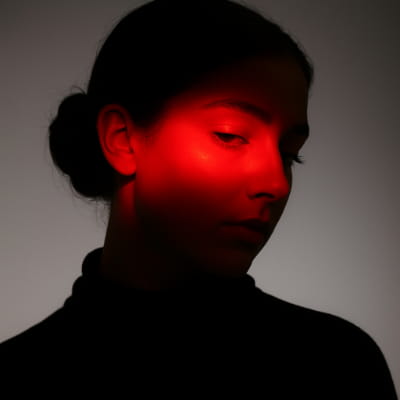 Before
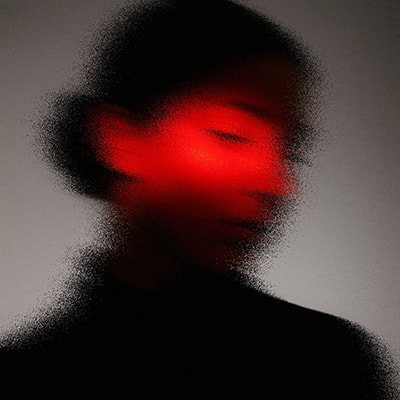 After
After
Ideas for using the effect
VHS & retro aesthetics
Recreate analog tape errors, color bleeding, and unstable frames.
Digital breakdown
Simulate corrupted files, signal loss, and data glitches.
Music visuals
Perfect for album covers, posters, and experimental video loops.
Motion accents
Add short glitch bursts to transitions and animations.
Made with this effect
More inspiration on Instagram @effect_app


Use Glitch in Photoshop, Figma or on your desktop
One account, the same effect everywhere.
In Photoshop
Apply it to a layer in Photoshop 2022 and later, on macOS or Windows. The plugin renders on your own GPU and hands the result back as pixels on a new layer.
get the Photoshop plugin →In Figma
Run it on images and frames without leaving the canvas. The Figma plugin is this same editor, pointed at whatever you have selected.
get the Figma plugin →On desktop
Install the macOS or Windows app when you want a window of its own, with your account and your presets already there.
download the desktop app →Frequently Asked Questions
What does the Glitch effect do?
Glitch introduces visual errors like color channel shifts, noise, jitter, and frame distortion.
Is this a VHS-style glitch or digital glitch?
Both. You can create analog VHS-like artifacts (see VHS for full tape simulation) or sharp digital errors depending on settings.
Can I animate glitch effects?
Yes. Glitch works in real time and looks great in motion.
Does it work on videos?
Absolutely. Apply glitch effects to videos and export them instantly.
Can I combine Glitch with other effects?
Yes. Glitch pairs especially well with RGB Shift, CRT Screen, VHS, and motion blur.
Is there a glitch filter for Photoshop?
Photoshop ships none — the usual route is a downloaded action or offsetting channels by hand. The Photoshop plugin applies Glitch to a layer in Photoshop 2024 and later; a layer comes back as one frame, so animated glitch stays in the browser or the desktop app.