
Apply Cubify to images and videos online
Pixelate your image or video into large color cubes. Create bold, blocky visuals with a clean low-fi and abstract aesthetic.
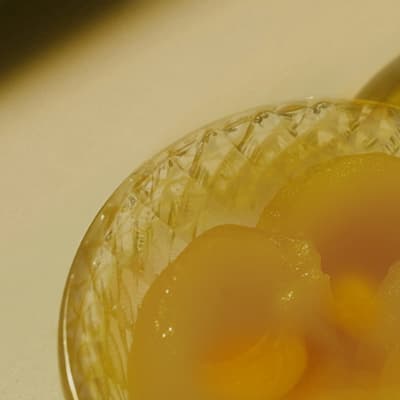 Before
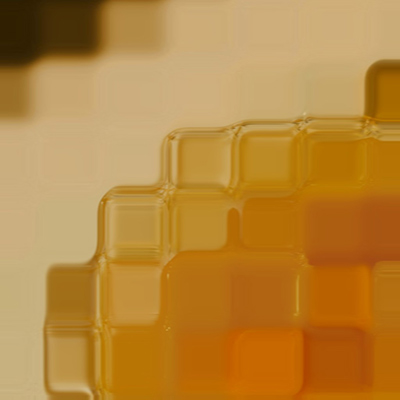 After
After
Ideas for using the effect
Low-fi abstraction
Turn detailed images into simple geometric compositions.
Stylized pixelation
Create intentional pixel blocks that feel graphic rather than blurry.
Motion graphics
Add rhythmic, grid-based distortion to videos and animations.
Artistic anonymization
Obscure faces or details while keeping overall composition readable.
Made with this effect
More inspiration on Instagram @effect_app


Use Cubify in Photoshop, Figma or on your desktop
One account, the same effect everywhere.
In Photoshop
Apply it to a layer in Photoshop 2022 and later, on macOS or Windows. The plugin renders on your own GPU and hands the result back as pixels on a new layer.
get the Photoshop plugin →In Figma
Run it on images and frames without leaving the canvas. The Figma plugin is this same editor, pointed at whatever you have selected.
get the Figma plugin →On desktop
Install the macOS or Windows app when you want a window of its own, with your account and your presets already there.
download the desktop app →Frequently Asked Questions
What does Cubify do?
Cubify replaces image detail with large square color blocks, creating a pixelated, geometric look.
How is Cubify different from blur?
Instead of smoothing pixels, Cubify groups them into solid color blocks with sharp edges.
Can I control the block size?
Yes. You can adjust how large or small the cubes appear.
Does Cubify work on videos?
Yes. The effect runs in real time on both images and videos.
Can I combine Cubify with other effects?
Absolutely. Try combining it with color grading, noise, or glitch effects for stronger visuals.
How do I pixelate an image into blocks in Photoshop?
Photoshop's Mosaic filter gives you one cell-size slider. The Photoshop plugin applies Cubify to a layer in Photoshop 2024 and later, with block size adjustable on the full-size layer rather than in a thumbnail.