
Apply Film Halation to images and videos online
Add realistic film halation online and recreate the warm highlight glow found in Kodak Vision3 and analog film scans. Create warm red-orange halos around highlights — street lights, neon signs, and backlit subjects — for authentic cinematic film character. Also known as: film halation, Kodak halation, highlight bloom, film glow, analog light halo
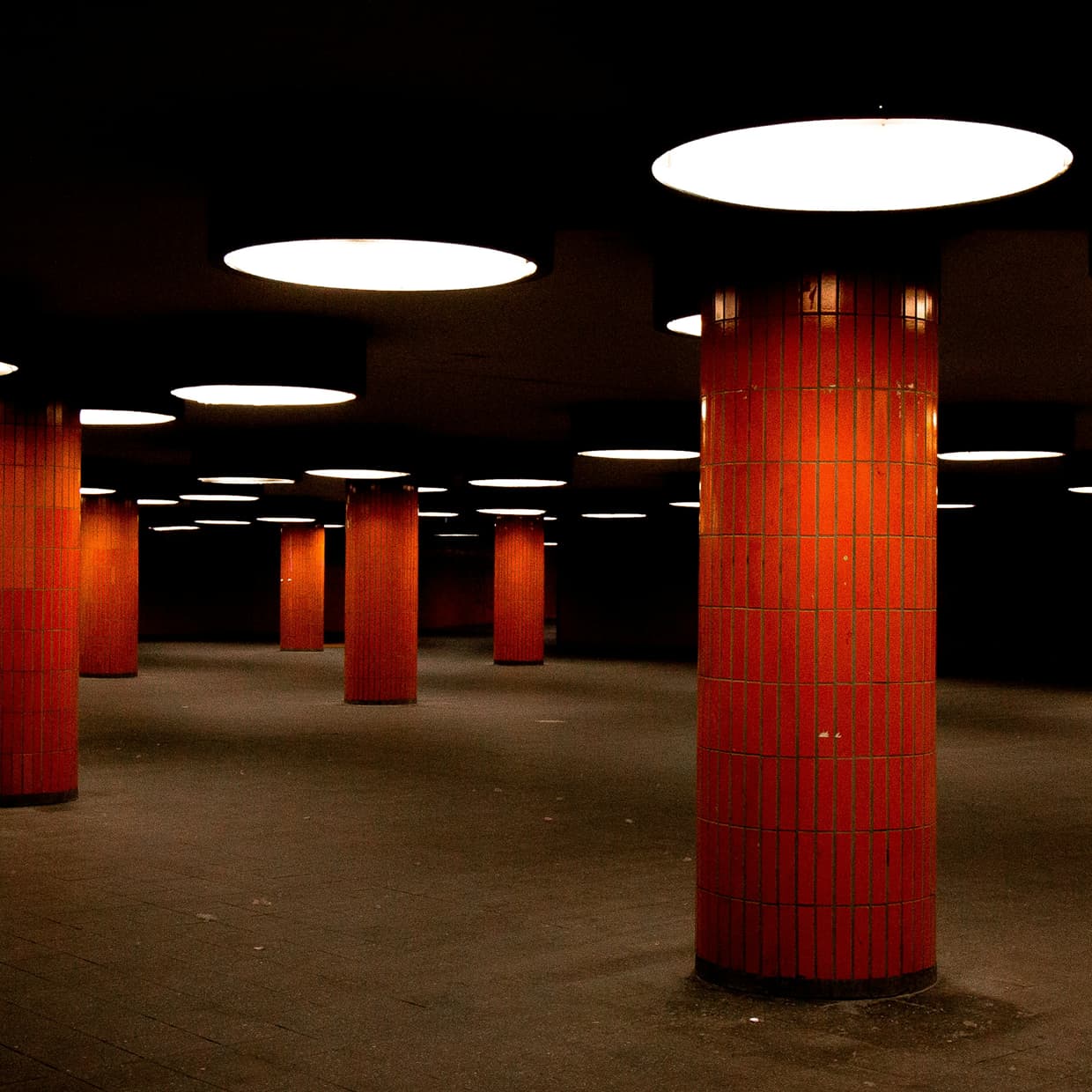 Before
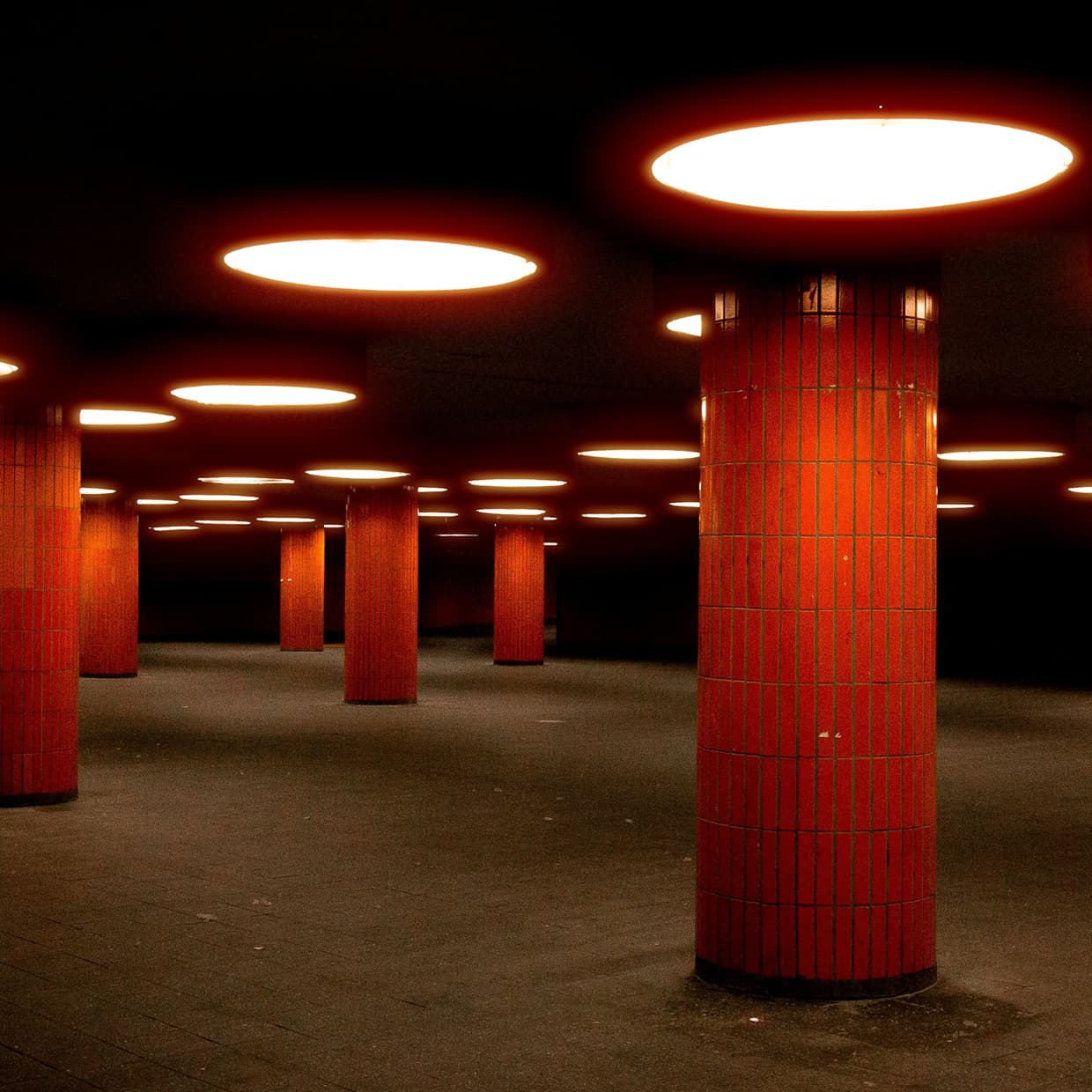 After
After
Ideas for using the effect
Night city cinematography
Create glowing halos around street lamps, headlights, traffic lights, and neon signs for the classic motion-picture film aesthetic.
Kodak Vision3 look
Reproduce one of the most recognizable characteristics of modern Kodak cinema film stocks, where bright highlights create warm red-orange edge glow.
Music videos and fashion films
Add atmospheric highlight bloom that feels organic and photographic rather than digitally generated.
Vintage film scans
Combine halation with grain and color grading to recreate the appearance of professionally scanned analog film.
Sunset and backlight glow
Enhance bright skies, sun reflections, and backlit subjects with natural-looking highlight diffusion.
Neon and cyberpunk visuals
Accentuate colorful signs, LEDs, and reflections with cinematic glow that adds depth and mood to night scenes.
Digital-to-film conversion
Make modern digital footage feel less clinical by introducing one of the defining optical characteristics of film emulsions.
Made with this effect
More inspiration on Instagram @effect_app


Use Film Halation in Photoshop, Figma or on your desktop
One account, the same effect everywhere.
In Photoshop
Apply it to a layer in Photoshop 2022 and later, on macOS or Windows. The plugin renders on your own GPU and hands the result back as pixels on a new layer.
get the Photoshop plugin →In Figma
Run it on images and frames without leaving the canvas. The Figma plugin is this same editor, pointed at whatever you have selected.
get the Figma plugin →On desktop
Install the macOS or Windows app when you want a window of its own, with your account and your presets already there.
download the desktop app →Frequently Asked Questions
What is film halation?
Film halation is a glow that appears around bright highlights on photographic film. Light passes through the film emulsion, reflects from layers behind it, and creates a soft halo around strong light sources.
Why is halation often red or orange?
Many color film stocks, especially Kodak cinema films, produce warm red-orange halation because of how light interacts with the film base and anti-halation layers.
Is halation the same as bloom?
Not exactly. Bloom is a general glow around bright areas caused by lenses, diffusion filters, or digital processing. Halation is a specific film characteristic created inside the film itself — warmer and more color-specific than bloom.
What kinds of images work best with halation?
Night photography, street scenes, neon signs, sunsets, reflections, headlights, practical lights, and any image with strong bright highlights against darker surroundings.
Can I add halation to video?
Yes. Film Halation works on both photos and videos, making it useful for cinematic footage, music videos, short films, and motion graphics.
Which film stocks are known for halation?
Kodak Vision3 motion picture stocks are especially famous for visible halation. Many scanned film images and modern film emulation workflows recreate this characteristic.
How much halation should I use?
For realistic film emulation, subtle settings usually work best. Stronger settings are useful for stylized music videos, fashion work, dream sequences, and cinematic visual effects.
Should I combine halation with film grain?
Yes. Halation and film grain complement each other and are often used together in film emulation workflows. Grain adds texture and organic imperfections, while halation creates the characteristic glow around bright highlights. For an even more authentic analog look, combine them with film vintage or classic film color grading.
Does halation improve digital footage?
Many filmmakers use halation to make digital footage feel more organic and film-like by recreating highlight characteristics that digital cameras do not naturally produce.
Can I create a Kodak-style cinematic look online?
Yes. Film Halation runs directly in the browser and lets you create cinematic highlight glow without plugins, editing software, or complex color grading workflows.
What makes Kodak Vision3 halation unique?
One of the most recognizable characteristics of Kodak Vision3 motion picture film is the warm red-orange glow that appears around bright light sources. Film Halation recreates this cinematic highlight behavior for digital photos and videos.
How do I add halation in Photoshop?
The usual fake is a duplicated layer, a Gaussian blur and a red-orange fill on Screen. The Photoshop plugin applies Film Halation to a layer in Photoshop 2024 and later, with threshold, spread and tint as controls rather than layer bookkeeping.