
Apply Motion Blur to images and videos online
Add realistic motion blur to images and videos to simulate speed, movement, and dynamic camera motion. Perfect for action shots, transitions, and cinematic visuals — all directly in your browser.
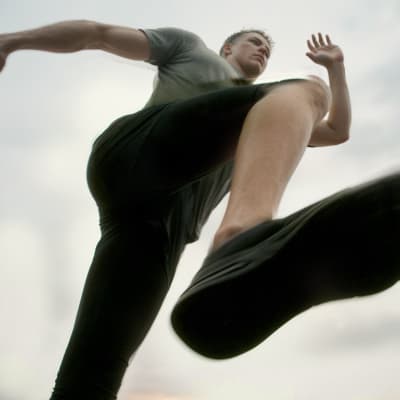 Before
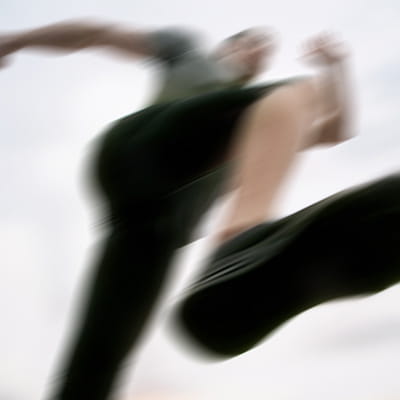 After
After
Ideas for using the effect
Speed and action shots
Emphasize fast movement in sports, cars, or action scenes by adding directional motion trails.
Camera movement simulation
Recreate handheld camera shake or panning motion for more dynamic visuals.
Dynamic transitions
Use motion blur between scenes or frames to create smooth, energetic transitions.
Stylized effects
Combine motion blur with color effects or glitches for expressive, high-impact visuals.
Made with this effect
More inspiration on Instagram @effect_app


Use Motion Blur in Photoshop, Figma or on your desktop
One account, the same effect everywhere.
In Photoshop
Apply it to a layer in Photoshop 2022 and later, on macOS or Windows. The plugin renders on your own GPU and hands the result back as pixels on a new layer.
get the Photoshop plugin →In Figma
Run it on images and frames without leaving the canvas. The Figma plugin is this same editor, pointed at whatever you have selected.
get the Figma plugin →On desktop
Install the macOS or Windows app when you want a window of its own, with your account and your presets already there.
download the desktop app →Frequently Asked Questions
What is motion blur?
Motion blur simulates the streaking effect that occurs when objects or the camera move during exposure, creating a sense of speed and direction.
How is motion blur different from Gaussian blur?
Gaussian blur softens the entire image evenly, while motion blur adds directional streaks that imply movement. For spinning or zooming effects, see radial blur.
Can I control the blur direction?
Yes. You can adjust the direction and intensity of the motion blur to match the movement you want to simulate.
Does motion blur work on videos?
Absolutely. Motion blur works on both images and videos, making it ideal for action clips and animated content.
Can I combine motion blur with other effects?
Yes. Motion blur works well with color grading, bloom, glitch, and radial blur for cinematic results.
How do I add motion blur in Photoshop?
Photoshop's Motion Blur offers an angle and a distance and nothing else. The Photoshop plugin applies this one to a layer in Photoshop 2024 and later, with direction and strength adjustable while you watch, and returns the blur on a new layer so the original stays intact.