Apply Motion Trails to images and videos online
Create long exposure motion trails, glowing traces, and drifting light streaks in images and videos. Build feedback-style trails from bright highlights with adjustable fade, direction, shake, intensity, and blend mode control.
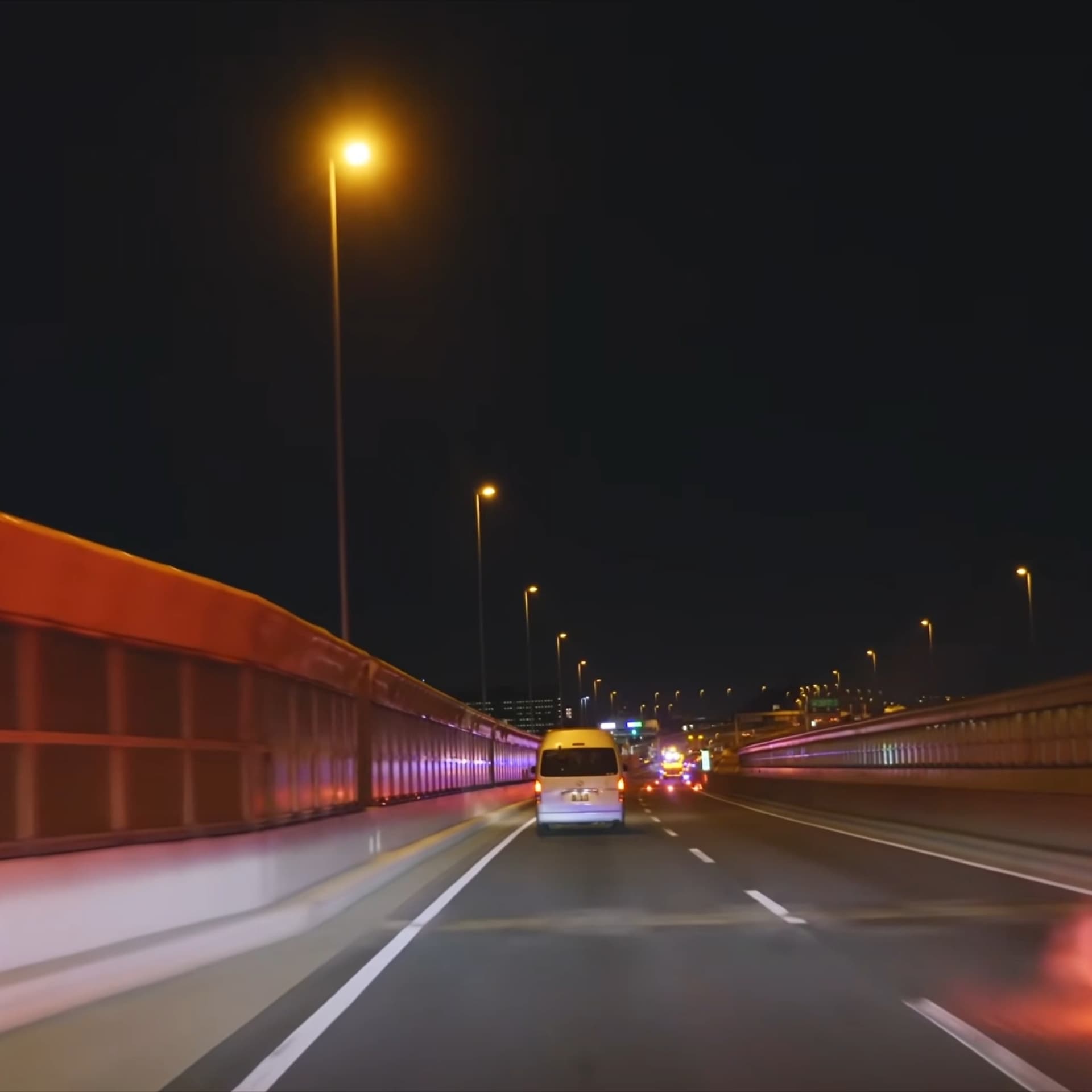 Before
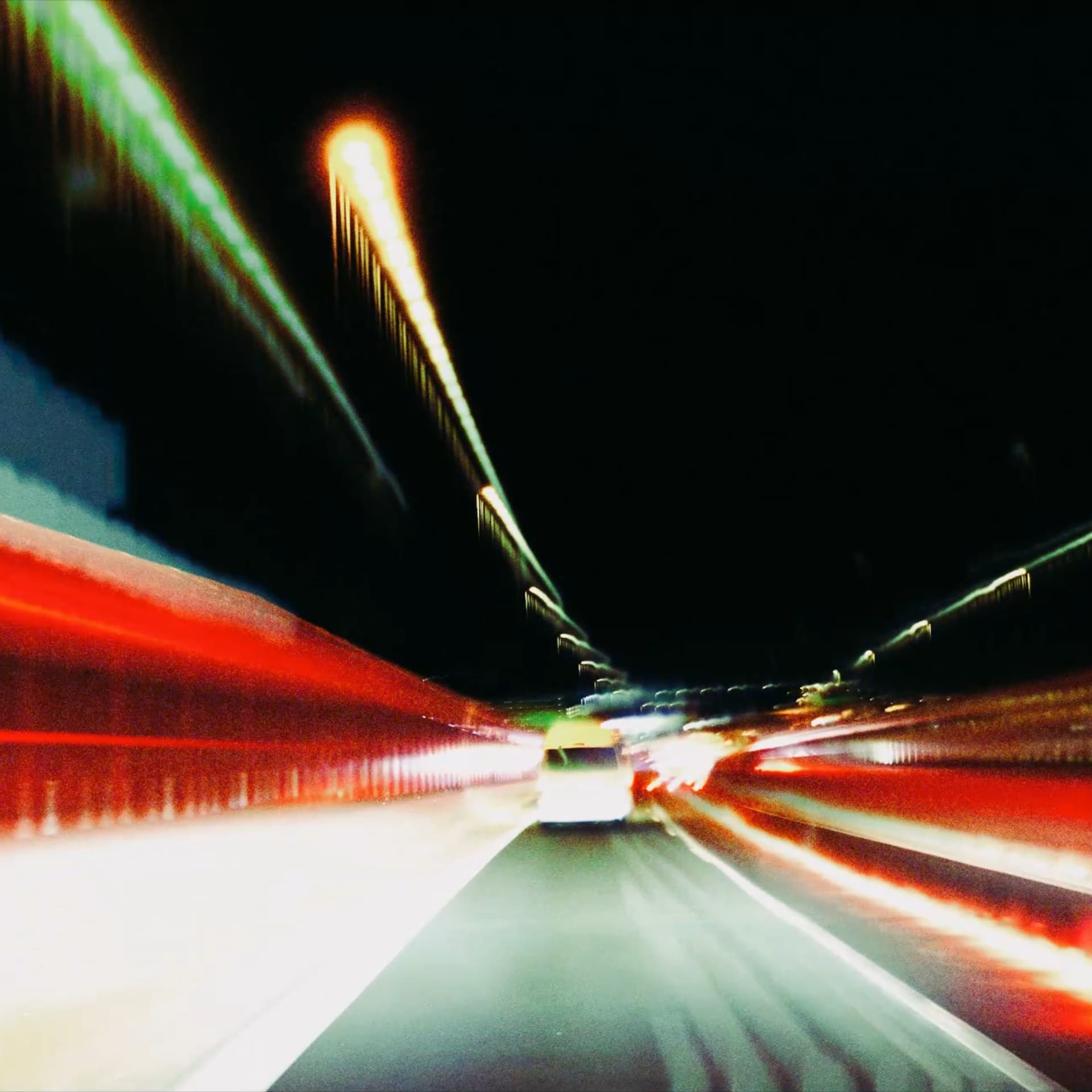 After
After
Ideas for using the effect
Long exposure look
Turn moving lights, reflections, and bright subjects into accumulated trails inspired by long exposure photography.
Light traces for video
Add glowing motion traces to dance clips, night footage, product shots, and music videos while keeping the effect responsive in real time.
Feedback and echo trails
Use slow fading, directional drift, and shake to create video feedback, echo motion, and smeared highlight history.
Graphic motion design
Combine Motion Trails with <a href="/effects/bloom">bloom</a>, color grading, or <a href="/effects/glitch">glitch</a> effects for luminous kinetic graphics and poster-like frames.
Made with this effect
More inspiration on Instagram @effect_app


Use Motion Trails in Photoshop, Figma or on your desktop
One account, the same effect everywhere.
In Photoshop
Apply it to a layer in Photoshop 2022 and later, on macOS or Windows. The plugin renders on your own GPU and hands the result back as pixels on a new layer.
get the Photoshop plugin →In Figma
Run it on images and frames without leaving the canvas. The Figma plugin is this same editor, pointed at whatever you have selected.
get the Figma plugin →On desktop
Install the macOS or Windows app when you want a window of its own, with your account and your presets already there.
download the desktop app →Frequently Asked Questions
What is the Motion Trails effect?
Motion Trails is a feedback-based effect that captures bright parts of the image, keeps them in an accumulated buffer, and fades or shifts that history over time. It creates long exposure trails, light traces, and motion echoes directly in the browser.
Is this like long exposure photography?
Yes. Long exposure photography records movement over time in a single frame. Motion Trails recreates that feeling digitally by accumulating highlights across frames, so moving lights and bright subjects leave visible traces.
Can I use Motion Trails on videos?
Yes. Motion Trails is designed for video and real-time motion. It also works on images when you want a feedback, trace, or stylized long exposure look.
What controls shape the trails?
Threshold and knee decide which highlights become trails. Dimming controls how quickly traces fade. Direction and shake move the accumulated history, while intensity and blend mode control how strongly the trails mix back into the source.
How is Motion Trails different from motion blur?
Motion blur smears pixels along a direction in a single frame. Motion Trails keeps temporal history, so trails can persist, drift, fade, and stack over time like light painting or video feedback.
Can Motion Trails create light painting effects?
Yes. Use a darker source, lower the threshold for bright subjects, reduce dimming for longer persistence, and choose a screen or add blend mode to build glowing light painting traces.
Can I make long exposure trails in Photoshop?
In Photoshop the trick is stacking many frames by hand and blending them. Motion Trails builds up across frames as they play, so the Photoshop plugin gives you a single pass on a still layer — the real streaks come from the browser or the desktop app.