
Apply Threshold to images and videos online
Convert images and videos to bold black and white using an adjustable threshold level. Create graphic, high-contrast visuals with optional edge highlighting and blend control.
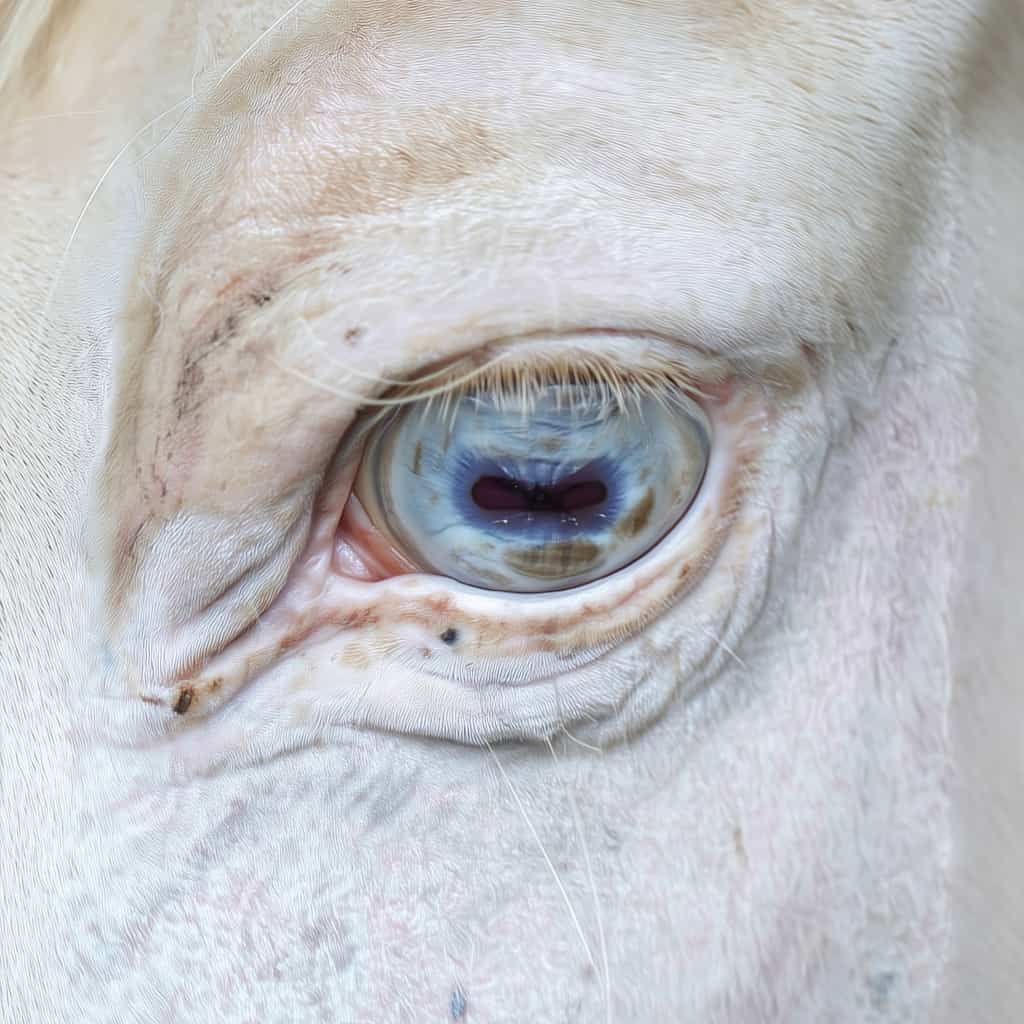 Before
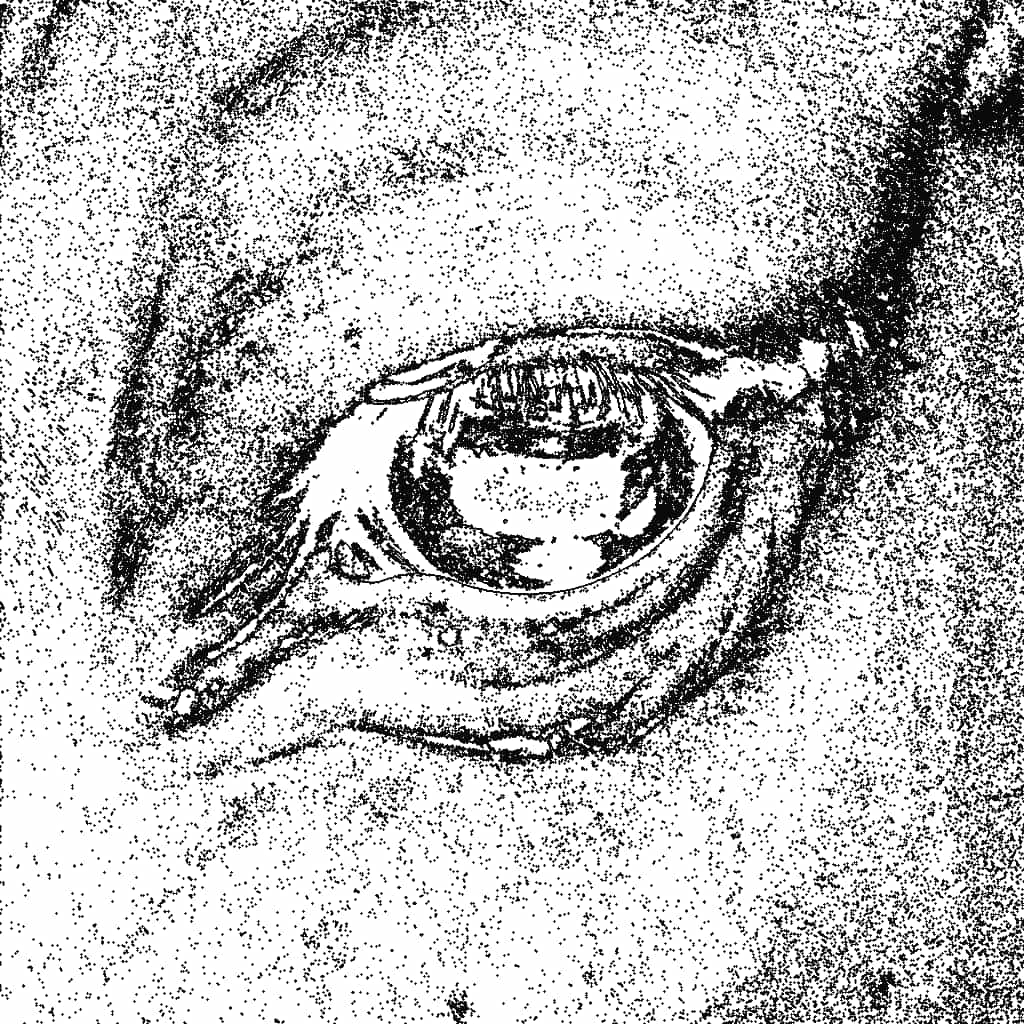 After
After
Ideas for using the effect
Graphic posters and prints
Turn photos into sharp black-and-white graphics perfect for posters, flyers, and covers.
Edge highlighting
Use edge mode to reveal outlines and contours with clean 1-pixel precision.
Experimental video looks
Create striking, abstract motion visuals by applying threshold to video footage.
Texture extraction
Isolate shapes and textures for masks, overlays, and mixed-media compositions.
Made with this effect
More inspiration on Instagram @effect_app


Use Threshold in Photoshop, Figma or on your desktop
One account, the same effect everywhere.
In Photoshop
Apply it to a layer in Photoshop 2022 and later, on macOS or Windows. The plugin renders on your own GPU and hands the result back as pixels on a new layer.
get the Photoshop plugin →In Figma
Run it on images and frames without leaving the canvas. The Figma plugin is this same editor, pointed at whatever you have selected.
get the Figma plugin →On desktop
Install the macOS or Windows app when you want a window of its own, with your account and your presets already there.
download the desktop app →Frequently Asked Questions
What is the threshold effect?
Threshold converts an image into pure black and white based on a brightness cutoff level.
How does edge mode work?
Edge mode highlights threshold boundaries with crisp 1-pixel lines, revealing contours and shapes.
Can I mix threshold with the original image?
Yes. You can blend the threshold result with the original image using different blend modes.
Does threshold work on videos?
Absolutely. Threshold works in real time on both images and videos.
What is threshold commonly used for?
Threshold is often used for posters, graphic design, masks, stylized videos, and experimental visuals. It pairs well with Halftone for print-style graphics, Dither for retro pixel looks, and film grain for textured results.
Is this different from Photoshop's Threshold?
Photoshop's Threshold is one slider and a hard black-and-white result. This one adds 1-pixel edge lines and blend modes back against the original, and the Photoshop plugin applies it to a layer in Photoshop 2024 and later.