
Apply Radial Blur to images and videos online
Create dynamic radial blur effects that radiate from the center of your image or video. Perfect for spins, zoom bursts, transitions, and energetic visual effects — all online, no setup required.
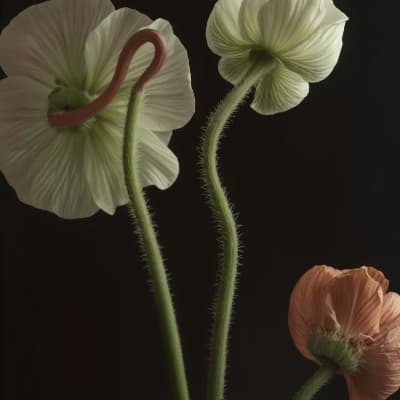 Before
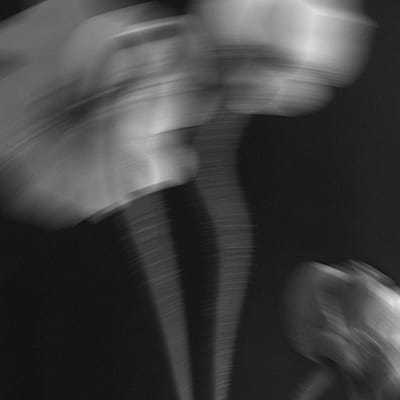 After
After
Ideas for using the effect
Zoom burst effects
Simulate rapid forward motion or impact by blurring content outward from the center.
Spin and swirl visuals
Create rotating, vortex-like effects for stylized edits and transitions.
Light bursts and flares
Enhance bright areas with radial blur to create glowing, explosive light effects.
Dynamic transitions
Use radial blur to smoothly transition between scenes with energy and direction.
Made with this effect
More inspiration on Instagram @effect_app


Use Radial Blur in Photoshop, Figma or on your desktop
One account, the same effect everywhere.
In Photoshop
Apply it to a layer in Photoshop 2022 and later, on macOS or Windows. The plugin renders on your own GPU and hands the result back as pixels on a new layer.
get the Photoshop plugin →In Figma
Run it on images and frames without leaving the canvas. The Figma plugin is this same editor, pointed at whatever you have selected.
get the Figma plugin →On desktop
Install the macOS or Windows app when you want a window of its own, with your account and your presets already there.
download the desktop app →Frequently Asked Questions
What is radial blur?
Radial blur creates blur that radiates from a central point, simulating spinning or zooming motion instead of straight directional movement.
How is radial blur different from motion blur?
Motion blur adds linear, directional streaks, while radial blur creates circular or zoom-based blur around a center point.
Can I control the center of the blur?
Yes. You can adjust the center point and intensity to control where the blur originates.
Does radial blur work on videos?
Yes. Radial blur works on both images and videos and can be applied in real time.
Can radial blur be combined with other effects?
Absolutely. Radial blur pairs well with bloom, motion blur, color effects, and distortions for dramatic visuals.
How do I do a radial blur in Photoshop?
Photoshop's Radial Blur renders blind: you set the center in a thumbnail and wait to see what happened. The Photoshop plugin lets you place the center and read the spin or zoom on the layer itself before baking it.