
Apply Pixel Sort to images and videos online
Sort the pixels of any photo or video into glitch streaks, in real time. Pick what gets sorted and how, turn the streaks to any angle, and break them into blocks or rainbow color. Free, in the browser. Also known as: pixel sorting, glitch sort, Asendorf sort, databending streaks
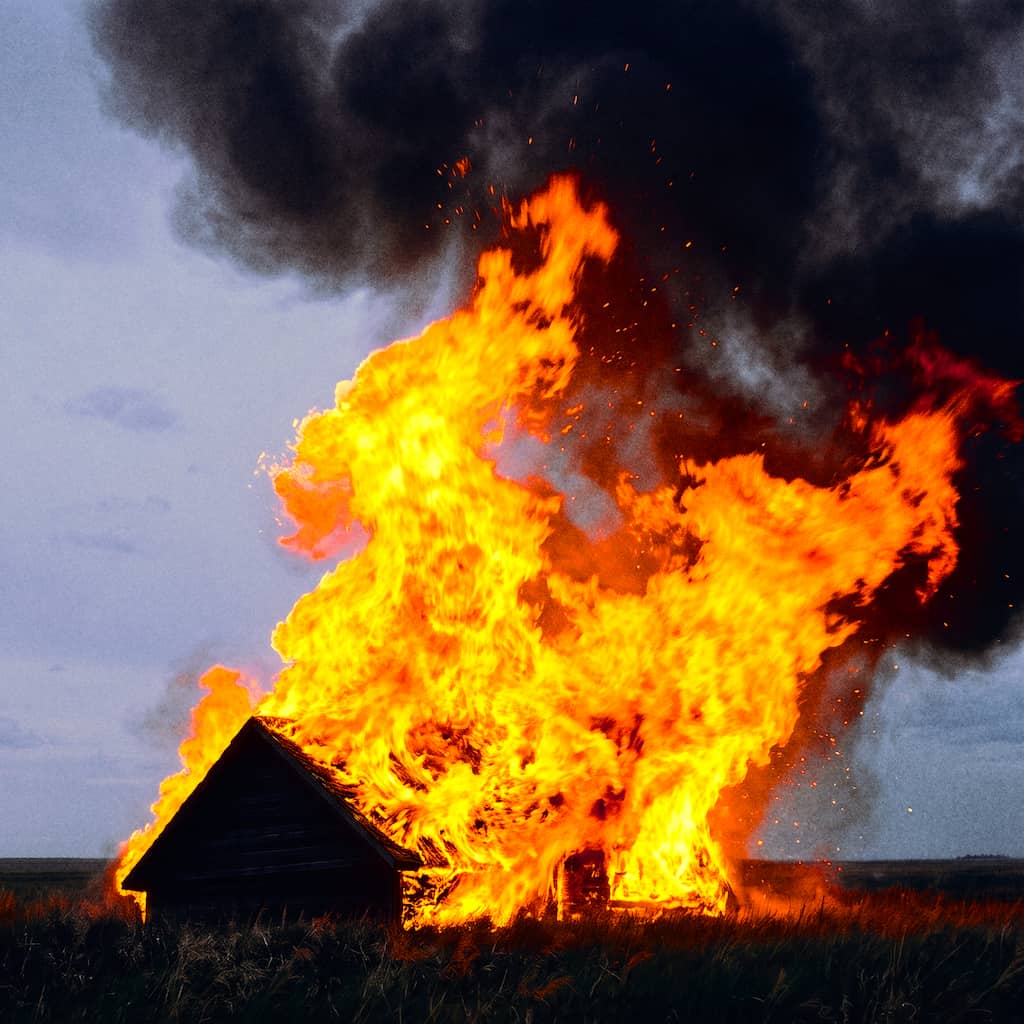 Before
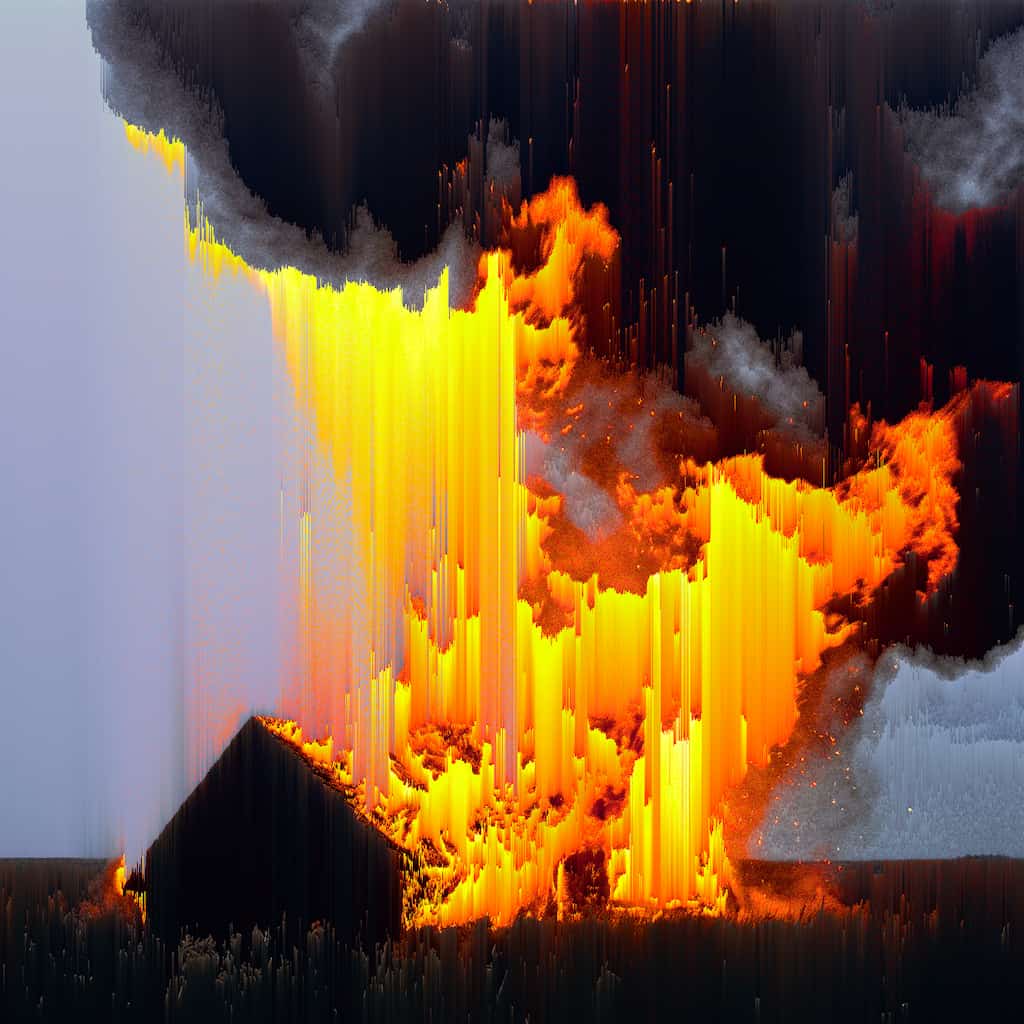 After
After
Ideas for using the effect
Classic glitch streaks
Sort the bright parts of a portrait or a sky into long smears that run across the frame, the look that made pixel sorting a staple of glitch art.
Streaks at any angle
Turn the sort to any direction, from a falling vertical drip to a diagonal sweep. The streaks follow the angle exactly, with no blur from rotating the image.
Blocky, low-fi sorting
Raise Cells Length and Width to sort chunks instead of single pixels. You get fat, stair-stepped bands that read like a broken video signal.
Rainbow chunks
Mix random color in before the sort and the colors become part of the sort itself, so each streak turns into its own bright gradient.
Sort one color only
Set Mask by key color and pick a color to sort just the pixels that match it, a red dress or a blue sky, while the rest of the frame stays put.
Made with this effect
More inspiration on Instagram @effect_app


Use Pixel Sort in Photoshop, Figma or on your desktop
One account, the same effect everywhere.
In Photoshop
Apply it to a layer in Photoshop 2022 and later, on macOS or Windows. The plugin renders on your own GPU and hands the result back as pixels on a new layer.
get the Photoshop plugin →In Figma
Run it on images and frames without leaving the canvas. The Figma plugin is this same editor, pointed at whatever you have selected.
get the Figma plugin →On desktop
Install the macOS or Windows app when you want a window of its own, with your account and your presets already there.
download the desktop app →Frequently Asked Questions
What is pixel sorting?
Pixel sorting takes runs of pixels along a line and reorders them by a value such as brightness. A run of mixed pixels becomes a smooth gradient, which is what gives the effect its smeared, melted streaks.
Which pixels get sorted?
Every pixel is measured by Mask by: brightness, hue, saturation, or closeness to a key color. Pixels that measure between Threshold low and Threshold high are sorted; the rest stay where they are and split the line into separate streaks. Invert mask flips the choice.
What does Sort by do?
It sets the order inside each streak. Brightness runs dark to light, Hue runs around the color wheel, and Saturation runs from gray to vivid. Key color orders pixels by how close they are to the key color, closest last. To flip the order, add 180 to Angle.
How does Key color work?
There is one key color, shared by Mask by and Sort by. Each pixel gets a closeness score from 1, exactly the key color, down to 0, its opposite. With Mask by, the thresholds choose a range of that score, for example 0.8 to 1 for pixels close to the color. With Sort by, streaks end in the colors closest to the key.
What do Length and Width do?
They sort blocks instead of single pixels. Length is the block size along the sort line and Width is how many neighbouring lines sort together. At 1 and 1 every pixel sorts on its own; bigger blocks give chunky bands, and they are faster too.
What does Random color do?
It brings random color into the sort. Amount sets how strong it is, and Mode picks between mixing in a color or turning the existing colors to a new hue. The colors come in square patches fixed to the image, so they hold still while you change the angle; Patch size sets how big those patches are, down to one pixel each.
What is the difference between the Random color stages?
Before mask colors the image first, so the color changes which pixels get sorted and in what order, and the whole frame is tinted. Before sort uses the original image to pick pixels, but the colors change the order, so streaks become rainbow gradients. After sort colors each finished streak with one color.
Does Pixel Sort work on videos?
Yes. The sort is exact and runs every frame, fast enough for HD and 4K video in real time, so preview and export match frame by frame.
How is this different from Glitch or JPEG Glitch?
Glitch shifts and splits the image like a broken signal, and JPEG Glitch corrupts compression blocks. Pixel Sort keeps every original pixel and only moves them, so the streaks carry the real colors of the image.
Can I combine Pixel Sort with other effects?
Yes. It pairs well with VHS for a worn-tape look, Glitch for extra signal damage, and Motion Blur to soften the streaks.